Wednesday, December 14, 2016

Greenify v3.0 build 5 [Donate]

Requiere Android 4.1 o superior.

La mejor aplicación para ahorrar batería y memoria RAM en tu dispositivo Android, ahora con acceso a las funcionalidades extras.

No permitas que tu dispositivo se ponga lento o esté hambriento de batería. Con Greenify, tu equipo puede funcionar tan rápido y tan bien como lo hacia el primer día.

Greenify te ayuda a identificar y poner las aplicaciones que se portan mal en hibernación cuando no las estés utilizando. Esto evita que el equipo se ponga lento y ciertamente ahorra mucha, pero mucha batería.

Hoy en día, la principal queja de los usuarios con dispositivos móviles es que la batería nunca dura lo suficiente. Es cierto que la tecnología avanza a pasos agigantados y las baterías se fabrican con nuevos materiales que retienen más carga, pero la verdad es que con tantas aplicaciones y juegos que exprimen los procesadores,.en los últimos años no ha habido un avance significativo.

Asimismo, si bien es cierto que Android nos permite terminar procesos en 2do plano gracias a su administrador de tareas nativo (o a la instalación de un task killer desde Google Play), la realidad es que en la práctica la hibernación de aplicaciones ha resultado ser mucho mas efectiva.

NOTA: Esta aplicación va dirigida a aquellos usuarios que ya han instalado la versión gratuita de Greenify y que ya saben cómo utilizarla, para los nuevos usuarios se recomienda utilizarla con precaución.

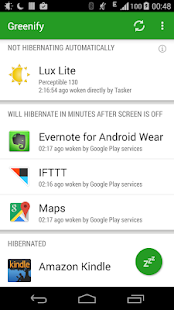
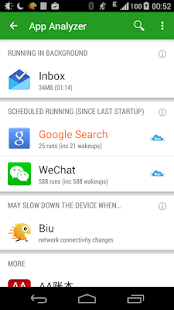
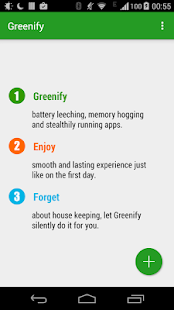
Capturas de pantalla:

---
DONATE features Unlocked!
Link de descarga:  ARCHIVO APK

Labels: , , ,

Sunday, January 18, 2015

How to use Greenify with Patched version

This is the best apps for rooted android phone. It helps you to hibernate running apps that can consume enough battery. We didn't know after you exit an application it runs and can consume battery,so that this the work of greenify is to stop the running apps .Greenify help you identify and put the misbehaving apps into hibernation when you are not using them, to stop them from lagging your device and leeching the battery, in an unique way! They can do nothing without explicit launch by you or other apps, while still preserving full functionality when running in foreground, similar to iOS apps!. It save more battery also called "power saver" apps.
Greenify Apps
 I recommend this apps not for criticizing other power saver apps that consume enough memory or RAM. This apps eat only little ram rather than other power saver apps. I love this apps so much, for me this is the best rooted apps. I will teach you how to use it. Just follow carefully. Don't worry this is safe and tested by many people around the android world. lol


Requirements
Rooted
Geenify+Xposed.rar(extract first)


1. Dowload and Install Greenify 
2. Download and Install Xposed Installer
3. Go to Xposed Installer then Framework
XPOSED INSTALLER SCREENSHOT
select Install/Update wait to complete then Soft Reboot.
XPOSED INSTALLER FRAMEWORK


4. Go to Xposed Installer then Modules check Greenify then Soft reboot again.
XPOSED INSTALLER GREENIFY CHECK

5. Go to Greenify then click (+) sign to add the install apps you want to "HYBERNATE"
6. In Greenify click settings at right lower then "Create Hyberantion Shorcut" this will add to your shortcut that appear in your homescreen.
Greenify Hybernation

7. In Greenify Settings click Experimental Features then "Check Boost mode" and "Greenifying System apps"
Greenify Experimental

8. Now click the (+) sign the "show more apps" to check all the apps you want to hibernate. 
NOTE: hybernating system apps can crash your phone. So select only safe to hybernate like calendar,calculator,clock etc.

Enjoy!

Disclaimer: This tutorial I've mentioned is greenify 2.1 version with donation package. I'm not sure if this final version will work on your phone.
If you want to try final version here's the link: Greenify.2.4.4.Final.apk


Labels: , , , ,