Saturday, November 4, 2017

How to Download and Play Facebook Gameroom Games| for stock rom go to rompure.com

Facebook Gameroom games has gotten even more better. Apart from playing the native game on PC, Developers can develop their own and improve their skills with better memory management, networking and debugging. Facebook Gameroom is a Windows based PC app which lets users play games without having to log-in to their accounts on Facebook web. If you’ve been following Facebook very well, you will notice people were able to play games such as Candy Crush, Farmvile and many other games whilst still signed in to their accounts on PC, notifications and news feeds still pop up. With the Gameroom app users are able to choose and play from the many available games without having to worry about their Facebook notifications or News Feed.
Facebook Gameroom games download

How to Download and Play Facebook Gameroom Games

To play Facebook Gameroom games you need to log-in to your facebook account on the web on a computer running Windows 7 and above. After this, go to the Facebook Gameroom page here, click on Free install to download.
Play Facebook Gameroom games download
Run the program and install after download. The Gameroom app is very light-weight so you do not have to worry about your computer hanging. To play Facebook Gameroom games, launch the app. You need an internet connection; all the games you’ve played on Facebook will automatically appear on the app with your existing levels and rewards.

You can also play new games by clicking on the categories panel in the app. You would be asked a permission to continue after which the game will be downloaded freely for you to play. There are many games to choose from such as arcade, adventures, shooting, puzzles, racing, etc…

If you are a Facebook or game lover, get into the groove now by downloading the Gameroom app. Feel free to share the article with your friends so they enjoy too.

Labels: ,

Wednesday, November 1, 2017

How To Pay For Facebook Ads Using Naira Visa Master Card| for stock rom go to rompure.com

Facebook Marketing has helped advertise and promote your business and website. Facebook is one of the most popular Social Network and it is visited by over millions of persons daily. Running Facebook ads with Naira Card has been quite impossible because of the limit in Nigeria Debit Cards. Naira card payment with PayU has made payments for FaceBook Ads in naira has available since before now, but because of the current situation of the economy in the country, banks now decline to make payments for Facebook ads in Naira, and insist that customers should pay for ads in the merchant's unit of currency which is US dollars. But the good news is that a few days ago, making payments for Facebooks ads in Naira became possible again using PAYU NG.
How To Pay For Facebook Ads in Naira with PayU


However, the new developments were only available to new customers who just opened a new ads accounts after the development. Old and existing customers were left out, then Facebook deactivated all their ads accounts for days, and this evening, they all got new ads account, and payment with PayU became automatically active in it. So in this article, you are going to learn how you can make payments on FaceBook, and then you will be charged in Naira, and no more USD.

How To Pay For Facebook Ads Using Naira Visa Master Card


1.    To get started, you need to create a Facebook ads account. Creating ads account is quite easy, once you log on to your Facebook account, click on Ads Manager, then your ads account will be created.

2.   Now, you will have to create your promotion or anything you want to promote on Facebook. (I trust you already know how to do that)

3.    After editing your promotion and it is ready to be promoted, click on the promote button located at the button, and then you will be taken to the payments section.

How To Pay For Facebook Ads in Naira with PayU, How To Pay For Facebook Ads in Naira with PayU payments options


4.    In the payments section, you will see Two or Three payments option which will be Payoneer, PayPal, Credit or Debit Card, and Naira Card Payment with PayU

5.   Now click on Payments with PayU, then the screen below will appear, just click on Continue

How To Pay For Facebook Ads in Naira with PayU
6.   When you click on continue, you will be taken to the next page where you will enter the amount you wish to fund your account with. Type in the amount you want, the naira sign will auto add itself.

How To Pay For Facebook Ads in Naira with PayU


7.    On the next page, you will see the amount of money you typed in, click on Continue to confirm it, or click on Back if you wish to make any change(s)

8.    Once you click on continue, a new browser window will pop-up. If you follow the steps correctly, the browser will surely pop up.


How To Pay For Facebook Ads in Naira with PayU


9.    In the new browser window, Choose payments with a card, once you begin to type in your card details, it will detect whether it is a Master Card or Visa Card. (Verve cards are currently unsupported)

10. After filling out your card details, click on pay/continue. You will be asked for your 4 digits online banking code. Then click on pay.


11. Your request will be processed, and if you did everything correctly, you would receive a success notification, and the new browser window will automatically close by itself.

So that is all you will need. If you encounter any challenge, feel free to tell us, and we will assist you

Labels: ,

Sunday, September 17, 2017

How To Delete All Facebook Messages At One Click – 2017

How To Delete All Facebook Messages At One Click – 2017Facebook is most commonly used and most addicting social networking platform ever. We make friends and share our feeling, through via status and messages. Facebook is best to spend time by chatting with friends. Even we chat and side by side we read some interesting stories in news feed, that why we all love Facebook most. But the only main

Labels: , , , , , , , , , ,

Friday, September 15, 2017

How To Combine Facebook Profile Picture And Cover Photo

How To Combine Facebook Profile Picture And Cover PhotoWhenever we hear the word social network, the first thing that instantly pops up in our head is Facebook. Facebook is without a doubt, the biggest social networking site on earth. It is one of the main reasons that got the masses to join the internet. Facebook has the highest active user base and no other site can compete to the traffic

Labels: , , , , , , , ,

Saturday, January 28, 2017

Facebook v.106.0.0.26.68 (Black & Clear)

 
El Team BlackOut vuelve hacer de las suyas y en esta ocasión con brindan varias variantes de la aplicación Facebook que a tanto nos ha gustado.


En esta ocasión nos brindan estas versiones:
 

Descargas 


Esta versión puede tener varios bugs


Versión 106.0.0.26.68


VERSIÓN BLACK


Beta > Black Facebook v.106.0.0.26.68


Esta versión puede tener varios bugs


Versión 9.0.0.26.28


VERSIÓN BLACK


Beta > Black Facebook v.9.0.0.26.28


Esta versión puede tener varios bugs


Versión 9.0.0.0.20


VERSIÓN BLUE BLACK


Blue Black Facebook v.9.0.0.0.20


VERSIÓN PINK BLACK


Pink Black Facebook v.9.0.0.0.20


 <<<<<<<<<<<<<<<<<<<<<<<<<<<<<<<<<<<<<<>>>>>>>>>>>>>>>>>>>>>>>>>>>>>>>>>>>


Versión 9.0.0.0.20


VERSIÓN BLACK


Black Facebook v.9.0.0.0.20


Otro enlace de descarga >  Black Facebook v.9.0.0.0.20


 <<<<<<<<<<<<<<<<<<<<<<<<<<<<<<<<<<<<<<>>>>>>>>>>>>>>>>>>>>>>>>>>>>>>>>>>>


Esta versión puede tener varios bugs


Versión 7.0.0.22.28


VERSIÓN CLEAR


Clear Facebook v.7.0.0.22.28


Otro enlace de descarga >  Clear Facebook v.7.0.0.22.28


VERSIÓN BLACK


Black Facebook v.7.0.0.22.28


Otro enlace de descarga >  Black Facebook v.7.0.0.22.28


<<<<<<<<<<<<<<<<<<<<<<<<<<<<<<<<<<<<<<>>>>>>>>>>>>>>>>>>>>>>>>>>>>>>>>>>>


Versión 6.0.0.28.28


Esta versión puede tener varios bugs


VERSIÓN CLEAR


Clear Facebook v.6.0.0.28.28


Otro enlace de descarga >  Clear Facebook v.6.0.0.28.28


VERSIÓN BLACK


Black Facebook v.6.0.0.28.28


Otro enlace de descarga >  Black Facebook v.6.0.0.28.28


Black Facebook Holo v.6.0.0.28.28


Otro enlace de descarga >  Black Facebook Holo v.6.0.0.28.28


VERSIÓN Facebook Breast Cancer Special Edition


Facebook Breast Cancer Special Edition v.6.0.0.28.28


Otro enlace de descarga > Facebook Breast Cancer Special Edition v.6.0.0.28.28


Versiones anteriores


Black Facebook v.5.0


Descargalo aqui > Black Facebook v.5.0.0.26.31


Otro enlace de descarga >  Black Facebook v.5.0.0.26.31


Otro enlace de descarga >  Black Facebook v.5.0.0.26.31


Clear Facebook v.5.0


Descargalo aqui > Clear Facebook v.5.0.0.26.31


Otro enlace de descarga > Clear Facebook v.5.0.0.26.31


Otro enlace de descarga >  Clear Facebook v.5.0.0.26.31


Versiones anteriores


Black Facebook v.4.0 (puede contener varios bugs todavía)


Descargalo aquí > Black Facebook v.4.0 


Clear Facebook v.4.0.0.26.3


Descargalo aquí > Clear Facebook v.4.0.0.26.3 [enlace corregido con mejoras 22 enero 2014]


VERSIÓN 3.9


Black Facebook 3.9  12/10/13


Clear Facebook 3.9


White text

http://bit.ly/19fIutE


Aquí te dejamos un vídeo review por parte de parte de AndroideHD


Fuente


POR FAVOR COLABORA! Estamos solicitando sus donaciones para continuar adquiriendo equipos, espero puedan entender que ninguna compañía nos apoya y es muy difícil hacerse de todos los equipos para los cual nos preguntan. Puedes hacer la donación en el siguiente enlace

Labels: , , , , , , , , , , , , , ,

Saturday, December 17, 2016

Facebook v107.0.0.0.109

Requiere Android 4.0 o superior.

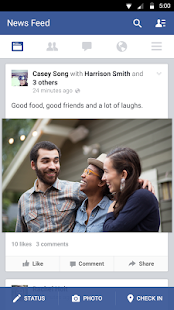
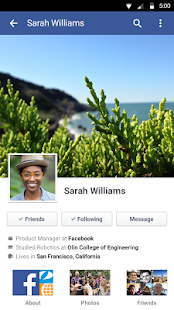
Facebook es la aplicación oficial de la red social por excelencia, que nos permitirá gestionar nuestra cuenta de usuario, y hacer prácticamente lo mismo que podríamos hacer desde el navegador, pero de una manera mucho más cómoda.

Sus posibilidades son prácticamente las mismas que las de la versión de navegadores para ordenador, con la pequeña diferencia de que no podremos jugar a la mayoría de videojuegos integrados en Facebook.

Juegos aparte, podremos tener a nuestro alcance toda la información de nuestros amigos y conocidos, acceder a sus tablones, subir y descargar fotografías, cambiar nuestro estado, hacer comentarios y un montón más de posibilidades que podremos llevar siempre en el bolsillo.

Una de las prestaciones más interesantes de la aplicación oficial de Facebook, es que nos permitirá compartir todo tipo de contenido directamente a través de su aplicación. Podremos subir fotografías y vídeos desde la galería de nuestro terminal, directamente a nuestra cuenta de Facebook.

En definitiva, Facebook para Android es una aplicación imprescindible para los usuarios de la red social más popular del mundo. Les permitirá estar siempre conectados, desde cualquier lugar y en cualquier momento.

Capturas de pantalla:


---
Link de descarga:  ARCHIVO APK

Labels: ,

Saturday, August 13, 2016

Facebook Messenger v84.0.0.13.71

Requiere Android 4.0 o superior.

Comunícate con las personas importantes en tu vida de forma gratuita y al instante. Messenger es como enviar mensajes de texto, pero sin pagar por cada mensaje (funciona con tu plan de datos).

No es solo para tus amigos de Facebook: puedes enviar mensajes a los contactos de tu agenda de teléfonos e introducir un número de teléfono para añadir un contacto nuevo.

Chats en grupo: crea grupos para las personas a las que envías más mensajes. Ponles nombre, define fotos de grupo y tenlos a todos en un mismo sitio.

Fotos y vídeos: graba vídeos y haz autofotos u otras fotos directamente desde la aplicación y envíalos con un solo toque.

Burbujas del chat: no pierdas el hilo de la conversación mientras usas otras aplicaciones.

Llamadas gratuitas: habla todo lo que quieras, incluso con personas de otros países. (Las llamadas son gratuitas por Wi-Fi. De lo contrario, se aplicarán cargos por datos estándar.)

Aún más maneras de enviar mensajes:
Da vida a tus conversaciones con los stickers.
Obtén una vista previa de las fotos y los vídeos de tu galería sin salir de la conversación y elige los que más te gusten para enviarlos.
Graba mensajes de voz cuando tengas algo que decir.

Funciones adicionales:
Entérate de cuándo las otras personas han visto tus mensajes.
Reenvía mensajes o fotos a las personas que no estaban en la conversación.
Busca personas y grupos para comunicarte con ellos rápidamente.
Activa la ubicación para informar a las personas cuando estés cerca.
Consulta quién está disponible en Messenger y quién está activo en Facebook.
Crea accesos directos para llegar a cualquier conversación directamente desde tu pantalla de inicio.
Desactiva las notificaciones cuando estés trabajando, durmiendo o simplemente necesites un descanso.
Mantén la sesión iniciada para no perderte nunca ningún mensaje.

---
Link de descarga:  ARCHIVO APK

Labels: ,

Saturday, February 20, 2016

Facebook Introduces Multiple Account Login To Its Android Messenger


Image credit: thegadgetox.net
Two days ago, Facebook released an update to its Messenger app for Android devices in Google Play Store. This update introduced a significant change to the app. After lots of beta testing, multiple account login feature was fit to launch. Also, it was reported that Instagram rolled out Multiple account support to their Android App.


Using Facebook Multiple Account Feature

  • First, download latest Facebook Messenger from Playstore
  • After login, go to Settings panel and select Accounts
  • Setup the additional Account from there...
Done!

Labels: ,

Thursday, July 2, 2015

Install two Facebook Apps in One Android Phone - No root Required


Install two Facebook Apps in a Single Android Phone. No root required.


Steps:
1. Install Official Facebook App From Play Store
2. Download Facebook 2 App From Here
3. Copy downloaded Facebook 2 App to your Android Phones SD Card and install it Normally.
4. Share this Post With Your Friends as a Token Of thanks
5. Subscribe to our news letter and Like My Facebook Page to serve you better.


DOWNLOAD FACEBOOK  2 APP

Labels: , , , , , , ,

Friday, June 5, 2015

Facebook Lite For Android Direct Download


This Facebook Lite Version is not available in all Countries. So I bought it for You.


Description
This version of Facebook is efficient with data and works in all network conditions.
Facebook Lite:
- Installs quickly — the app is less than 1 MB
- Works on all Android phones
- Uses less data
- Is designed for 2G networks and areas with slow or unstable connections
 Keeping up with friends is faster than ever. Facebook is free and always will be.
About Facebook:
- Message friends and have group conversations
- Get notifications when friends like and comment on your posts
- See what friends are up to
- Share updates and photos
 

Download

Labels: , , , ,

Monday, April 20, 2015

Facebook Popup Like Box With Feedburner Newsletter Subscription For Blogger


First Step:-


Go to Blogger=>Select Blog

          Select Layout

          Select Add a Gadget

          Select HTML/JavaScript

         Add Below Code in Content Box and Save it.


Replace "https://www.facebook.com/karthikofficialpage" With your Facebook Page URL

And For Feed Burner Replace  uri=blogspot/uXNEGG"
value='blogspot/uXNEGG'

Red marked text with your feedburner ID .


Labels: , , , , , , ,

Monday, March 17, 2014

Protect Yourself From Facebook Malware Like Jacking or Click jacking


Protect Yourself From Facebook Malware Like Jacking or Click jacking
                   A new trick is all the way on many websites, which makes you to Like facebook Pages and even to post links on your timeline Without your knowledge.

                   And name of That trick is Click jacking or Like Jacking. You can be victim of this trick in two ways.

1) Invisible Like Button that moves along with your Mouse pointer and wherever you clicks on web page that is having like jacking script on it. You will be liking a facebook fan page without knowing it.
Example for this: http://bit.ly/NmQCnq
Go to Above link and click any where on that page until play button on video works.
Don't worry you can unlike that page again. Just open your facebook profile. Click on Gear icon on top right corner then select Activity log option from the menu. See the image below...

Then you well get a window like below:

Here you can see the list pages you like. Just click on the page name and unlike it.

2) Second method is, You will see buttons like Next, Previous, Explore...etc buttons blow the articles on web pages or blogs. If you click on it nothing loads on that page but you will be liking a page without your knowledge.
Example for this: http://bit.ly/1qLf8yDb
Go to above link and scroll down to bottom of the page there you will see an Next>>  button as shown in below image. Click on it you will be liking my facebook Page www.facebook.com/technodoor. Dont worry you can unlike my page if you want in your Activity Log. As done above.


Above two Methods are the ways of click jacking or like jacking..

Now we will see how they attract you to visit their websites. Its simple they share some posts with intresing names and you will be attracted. Below are the examples of such posts..


                         So i think now you are aware of the trick called Like jacking. So be careful will visiting unknown websites.

      Below is the tutorial about how to use code for like jacking. And this tutorial is only for Educational purpose only.


Labels: , , ,