Monday, September 18, 2017

Google new andriod version released its called Android N

Google new andriod version released its called Android NGoogle surprised everyone on Wednesday by releasing the Android N Developer Preview significantly earlier than expected. The Android N Developer preview offers a look at new features which will be available in the next Android build including multi-window support, brand new notification shade, notification enhancements, and more.(Also see:

Labels: , , , , , , , ,

How to get Google Assistant on Moto G5 Plus G5 without root

How to get Google Assistant on Moto G5 Plus G5 without rootHello Guys, Recently, Google Assistant launch for all android phone but at this time this is time Google Assistant for only for beta testers and USA users. So in this text tutorial I have written about How to get Google Assistant on Moto G5 Plus and G5 without root and this is the most Updated tutorial about this topic.RequirementGoogle

Labels: , , , , , , , , , ,

Friday, September 15, 2017

HTC One Google Play Edition starts receiving Android 4 4 KitKat update

HTC One Google Play Edition starts receiving Android 4 4 KitKat updateAn installed launcher in your Android tablets and smartphones increases the performance and productivity of your handsets. Launcher gives you a complete control of customizing your smartphone in terms of themes and icons, display screen, launching apps etc. Here we have provided a list of some of the best Android launchers for

Labels: , , , , , , , , , ,

Monday, August 14, 2017

很簡單就能馬上取得短網址

今天告訴大家,站內資訊,就是在免費資源裡的短網址!快速又好用,將很長很長的一大串網址直接縮小成很短的網址,既好用又實在,且超做非常簡單。另外因為統測逼近,所以網站即將停止運作!只剩下免費資源囉,此段期間不會在有新的筆記,對不起囉~明年的五月我會再回來的!不要忘記我唷!

步驟一進入短網址網頁


步驟二輸入網址


步驟三看到四串網址囉!那一些都可以用,選擇自己想要的一串吧


Labels: , ,

Saturday, August 5, 2017

GOOGLE 免費雲端硬碟-15GB

GOOGLE雲端硬碟整合所有線上編輯的功能,目前每個使用者皆可以使用15GB的硬碟空間可以使用,但是必須有GOOGLE會員。


當你註冊完成會員之後,直接進入雲端硬碟或點選GOOGLE首頁-->更多-->雲端硬碟


1.功能解說


建立資料夾:在雲端上建立一個資料夾。
建立文件:如同WORD。
建立簡報:如同PPT。
建立試算表:如同EXCEL。
建立表單:可以自己建立一個表單給別人填寫。
建立繪圖:如同小畫家


上傳檔案與上傳整個資料夾
2.如何分享給親朋好友
1.對檔案點擊右鍵-->共用-->共用...

2.點擊更變

3.公開在網路上,並儲存

Labels: , , ,

如何用GOOGLE CHORM下載YOUTUBE影片


如圖片直接點DOWNLOAD就可以直接下載,不必再進入任何網頁

1. 連結到FastestTube


2.點選「Install


3.點選「保留」,將程式下載


4.進入擴充程式


5.將下載檔拖到擴充程式


6.點選新增

Labels: , ,

Friday, December 16, 2016

Gboard - the Google Keyboard v6.0.69.142176780 [Apk] ¡ACTUALIZADO!

Requiere Android 4.2 o superior.

Con asombrosa predicción de reconocimiento de voz y de las próximas palabra, Google Keyboard le ayuda a escribir más rápido y con mayor precisión en todos los dispositivos Android.

Cuando usted no puede encontrar lo que hay que decir, usted no tiene que escribir nada. El nuevo teclado de Google apoya a cientos de emojis, por lo que puede expresarse en cualquier aplicación de Android (KitKat o posterior).

Características principales:
• sugerencias personalizadas, correcciones y terminaciones
• animaciones popup Keypress
• Punto de entrada Emoji y diseños (Android 4.4, KitKat o posterior)
• Typing Gesture con vista previa flotante dinámica
• Espacio conscientes Gesture Typing: No hay necesidad de levantar el dedo mientras se escribe - solo gesto a través de la barra de espacio
• Mecanografía Voz
• Diccionarios para más de 25 idiomas
• diseños avanzados de teclado
• Obras en toda sus dispositivos Android (tabletas y teléfonos)

Vídeo sobre la aplicación:


P.S. Si te interesa descargar este mismo teclado, pero con un look completamente negro o en transparente, entonces te recomendamos que revises ESTE OTRO POST

Labels: , ,

Wednesday, December 14, 2016

Google Play Store v7.4.02.L-all [5] [PR] 141259338 [Original]

Requiere Android 4.0 o superior.

Google Play es la tienda oficial de Google para terminales Android, desde la que distribuye películas, música, libros y, sobre todo, aplicaciones.

La aplicación cuenta con un diseño de interfaz muy limpio, desde el que posible moverse rápidamente entre categorías. Que nos interesan los libros, tan solo tendremos que pulsar sobre el icono correspondiente. Que estamos más interesados en música, pues al de música. Y una vez dentro, igual, pero filtrando por géneros, 'más descargados', 'más valorados', etcétera.


En cualquier caso, si bien Google Play es un excelente aliado de aquellos que quieran descargar películas o música, a quienes ayudará realmente es a todos los que deseen descargar aplicaciones de Android. En su sección de aplicaciones encontraremos un repositorio abrumador de apps, que hace especial énfasis en los juegos.

Muchas de las apps de Google Play, como es lógico, son de pago, como algunos de los juegos más rompedores o las aplicaciones más prestigiosas. Ahora bien, también hay muchos videojuegos y aplicaciones muy interesantes que son totalmente gratuitos.

En definitiva, Google Play Store es la tienda por excelencia para Android. El antiguo 'Market de Android' ha sabido reinventarse a sí mismo para crear uno de los mejores lugares posibles en los que descargar y comprar aplicaciones, películas, libros, música y todo tipo de material para terminales Android.

---
Link de descarga:  ARCHIVO APK


P.S. Si quieres descargar la versión modificada (crackeada) de Google Play Store, entonces te sugerimos revisar EL SIGUIENTE POST

Labels: ,

Tuesday, December 13, 2016

Freedom v1.6.4 [Google Play in-App Purchase]

Requiere Android 2.2+ | ROOT.

¿Cuántas veces has estado disfrutando de tu juego preferido en tu dispositivo portátil y te has quedado sin vidas para continuar jugando?, ¡seguro que muchas!, ya que cada vez es más habitual encontrar aplicaciones que limitan el tiempo de juego entre partida y partida, forzando a muchos usuarios a tener que comprar créditos o pagar las compras dentro de la app, para poder disfrutar de partidas ilimitadas, contenido extra, o niveles exclusivos.

Pues bien, gracias a la aplicación de la que te estamos hablando hoy, vas a poder acceder a todo este contenido exclusivo y de pago de manera completamente gratuita.

Freedom es un servicio que pese a no ser muy conocido hoy en día, nos ofrece una utilidad única que permite disfrutar de manera más completa e intensa de los videojuegos de Android, mediante acceso a contenido premium y con total seguridad, ya que esta app no necesita permisos de terceros, por lo que no accede ni a nuestra información personal, ni instala aplicaciones de dudosa procedencia en nuestro dispositivo: Descargar Freedom es lo mejor que puedes hacer, ya que es la alternativa perfecta para poder conseguir contenido exclusivo sin necesidad de gastar nuestro dinero.

Sin embargo, no podía ser todo tan sencillo, ya que para que Freedom pueda funcionar en nuestro dispositivo necesitamos ser root, un proceso el que podemos obtener el control total de nuestro smartphone o tablet para tener acceso como administrador.

Si estás cansado de las largas espera entre partida y partida en esos títulos a los que tantas horas has dedicado, ya es hora de le des una oportunidad a Freedom y pruebes la experiencia de jugar sin interrupciones, sin esperas, y durante el tiempo que quieras, con acceso a todo el contenido premium que seas capaz de imaginar, ¡No te arrepentirás!.


Link de descarga:  ARCHIVO APK


¿Cómo utilizar la aplicación Freedom?

Paso 1. Descargar e instalar el archivo apk.
Paso 2. Abrir la aplicación y concederle permisos de superusuario.
Paso 3. Ir a menú y pulsar "start"; o en el listado que aparece, seleccionar la app y ejecutar el patch.
Paso 4. Abrir la aplicación deseada y hacer su compra in-app.

Recomendaciones generales:

1. No abrir inmediatamente Google Play Store sin haber pausado Freedom. (ERROR FRECUENTE!)
2. No desinstalar la aplicación, si todavía está corriendo. (MÁS FRECUENTE AÚN)
3. Recordar que algunas compras pueden quedar permanentes y otras simplemente no.
4  Estar al tanto que la app no sirve para hacer compras en juegos que funcionen solamente online.
5. Revisar siempre que aplicaciones ofrecen características “Premium” y saber que admiten compras.
6. Probar aplicaciones aunque creas que no.

AGREGADO: ¿Qué hago si Google Play Store ya no se conecta?
-Ir a Freedom, y pausar la aplicación.
-Si la habías desinstalado, volver a instalarla y pausar.

Labels: , ,

Friday, December 9, 2016

YouTube v11.47.55 [Ad Free]

Requiere Android 4.1+ | ROOT.

Obtén la aplicación oficial de YouTube para teléfonos y tablets Android. Ve lo que el mundo está mirando: desde los videos musicales más populares hasta las últimas tendencias en videojuegos, entretenimiento, noticias y más. Suscríbete a los canales que más te gustan, comparte con tus amigos y mira todo desde cualquier dispositivo.

Con el nuevo diseño, podrás divertirte explorando los videos que más te gustan de forma más fácil y más rápida que nunca. Solo toca un ícono o deslízate para desplazarte entre los videos recomendados, tus suscripciones o tu cuenta. También puedes suscribirte a tus canales favoritos, crear listas de reproducción, editar y subir videos, expresarte a través de comentarios o elementos compartidos, transmitir un video a tu TV y mucho más, todo a través de la aplicación.

ENCUENTRA RÁPIDAMENTE LOS VIDEOS QUE MÁS TE GUSTAN

• Explora recomendaciones personales en la pestaña Página principal
• Ve lo más reciente de tus canales favoritos en la pestaña Suscripciones
• Busca los videos que miraste y que te gustaron en la pestaña Cuenta

CONÉCTATE Y COMPARTE

• Haz que las personas sepan tu opinión con "Me gusta", comentarios y elementos compartidos
• Sube y edita tus propios videos con filtros y música: todo a través de la aplicación.


Capturas o screenshots:


---
INSTRUCTIONS:

1. Uninstall the YouTube app
2. Create directory : /system/app/YouTube with 755 permission
3. Put the downloaded apk to /system/app/YouTube.apk
4. Reboot

Links de descarga:

arm:
YouTube v11.47.55 [Ad Free] APK

arm64:
YouTube v11.47.55 [Ad Free] APK

Samsung x64:
YouTube v11.47.55 [Ad Free] APK


P.S. Si tienes duda acerca de cuál es el procesador de tu dispositivo, puedes recurrir a una app como CPU-X

Labels: , ,

Wednesday, October 19, 2016

Google Gmail v6.10.9.136347105.release

Requiere Android 4.0 o superior.

Gmail es una aplicación de correo electrónico para dispositivos móviles muy fácil de usar que te ahorra tiempo y protege tus mensajes. Recibe tus mensajes al instante con las notificaciones push, lee y responde tanto si estás conectado a Internet como si no y encuentra tus mensajes rápidamente.

La aplicación Gmail para dispositivos móviles te ofrece:

• Una bandeja de entrada ordenada: los mensajes promocionales y de redes sociales se clasifican en categorías para que, por ejemplo, puedas leer primero los mensajes de amigos y familiares.
• Menos spam: Gmail bloquea el correo basura antes de que llegue a tu bandeja de entrada para proteger tu cuenta y mantenerla limpia.
• 15 GB de espacio de almacenamiento gratuito: se acabó lo de borrar mensajes para hacer sitio.
• Compatibilidad con varias cuentas: utiliza direcciones tanto de Gmail como de otros proveedores (Outlook.com, Yahoo Mail o cualquier otro correo IMAP/POP) en la misma aplicación.

---
Link de descarga:  ARCHIVO APK

Labels: ,

Tuesday, October 11, 2016

Google Play Store v7.0.25.H-all [Patched + Installer]

Requiere Android 4.0+ | ROOT.

Google Play es la tienda oficial de Google para terminales Android, desde la que distribuye películas, música, libros y, sobre todo, aplicaciones.

La aplicación cuenta con un diseño de interfaz muy limpio, desde el que posible moverse rápidamente entre categorías. Que nos interesan los libros, tan solo tendremos que pulsar sobre el icono correspondiente. Que estamos más interesados en música, pues al de música. Y una vez dentro, igual, pero filtrando por géneros, 'más descargados', 'más valorados', etcétera.


En cualquier caso, si bien Google Play es un excelente aliado de aquellos que quieran descargar películas o música, a quienes ayudará realmente es a todos los que deseen descargar aplicaciones de Android. En su sección de aplicaciones encontraremos un repositorio abrumador de apps, que hace especial énfasis en los juegos.

Muchas de las apps de Google Play, como es lógico, son de pago, como algunos de los juegos más rompedores o las aplicaciones más prestigiosas. Ahora bien, también hay muchos videojuegos y aplicaciones muy interesantes que son totalmente gratuitos.

En definitiva, Google Play Store es la tienda por excelencia para Android. El antiguo 'Market de Android' ha sabido reinventarse a sí mismo para crear uno de los mejores lugares posibles en los que descargar y comprar aplicaciones, películas, libros, música y todo tipo de material para terminales Android.

---
Instructions for Google Play Store Patched:
1.Install latest Lucky Patcher
2.Run Lucky Patcher > Menu > Select 'Patch to Android'
3.Select √ 'Signature Verify always True' and 'Disable Zip Signature Verify' > Apply > Yes
4.After reboot go to 'Patch to Android' and check (Patch applied). If applied exit from Lucky patcher. otherwise do 3rd step again.
5.Backup current Google play with Titanium backup if you want to restore original version in case.
6.Rename downloaded 'GoogleMarket.by.Chelpus.TrueLicenseMod.apk' and transfer to sd card.
GingerBread users > rename to 'Vending.apk'
ICS / Jelly Bean users > rename to 'PhoneSky.apk'
7.Open Root Explorer and copy/replace renamed apk to '/system/app/' folder
8.Set permissions rw-r--r-- and Reboot
9.Done. All Apps on Device with LVL is licensed. (Tested to GoldenDict, PowerAmp and other)

Instructions for Google Play Store Installer:
Install, Run and Reboot

---
CREDITS:
Thanks to Alexey711 and Chelpus


Google Play Store Patched (Original icon)
Link de descarga:  ARCHIVO APK

Google Play Installer v1.1.2 for Google Play Store 

Link de descarga:  ARCHIVO APK


P.S. Si quieres descargar la versión original (sin modificar) de Google Play Store, entonces te sugerimos revisar EL SIGUIENTE POST

Labels: ,

Monday, October 10, 2016

Google Play Store v7.0.18.H-all [Patched + Installer]

Requiere Android 4.0+ | ROOT.

Google Play es la tienda oficial de Google para terminales Android, desde la que distribuye películas, música, libros y, sobre todo, aplicaciones.

La aplicación cuenta con un diseño de interfaz muy limpio, desde el que posible moverse rápidamente entre categorías. Que nos interesan los libros, tan solo tendremos que pulsar sobre el icono correspondiente. Que estamos más interesados en música, pues al de música. Y una vez dentro, igual, pero filtrando por géneros, 'más descargados', 'más valorados', etcétera.


En cualquier caso, si bien Google Play es un excelente aliado de aquellos que quieran descargar películas o música, a quienes ayudará realmente es a todos los que deseen descargar aplicaciones de Android. En su sección de aplicaciones encontraremos un repositorio abrumador de apps, que hace especial énfasis en los juegos.

Muchas de las apps de Google Play, como es lógico, son de pago, como algunos de los juegos más rompedores o las aplicaciones más prestigiosas. Ahora bien, también hay muchos videojuegos y aplicaciones muy interesantes que son totalmente gratuitos.

En definitiva, Google Play Store es la tienda por excelencia para Android. El antiguo 'Market de Android' ha sabido reinventarse a sí mismo para crear uno de los mejores lugares posibles en los que descargar y comprar aplicaciones, películas, libros, música y todo tipo de material para terminales Android.

---
Instructions for Google Play Store Patched:
1.Install latest Lucky Patcher
2.Run Lucky Patcher > Menu > Select 'Patch to Android'
3.Select √ 'Signature Verify always True' and 'Disable Zip Signature Verify' > Apply > Yes
4.After reboot go to 'Patch to Android' and check (Patch applied). If applied exit from Lucky patcher. otherwise do 3rd step again.
5.Backup current Google play with Titanium backup if you want to restore original version in case.
6.Rename downloaded 'GoogleMarket.by.Chelpus.TrueLicenseMod.apk' and transfer to sd card.
GingerBread users > rename to 'Vending.apk'
ICS / Jelly Bean users > rename to 'PhoneSky.apk'
7.Open Root Explorer and copy/replace renamed apk to '/system/app/' folder
8.Set permissions rw-r--r-- and Reboot
9.Done. All Apps on Device with LVL is licensed. (Tested to GoldenDict, PowerAmp and other)

Instructions for Google Play Store Installer:
Install, Run and Reboot

---
CREDITS:
Thanks to ChelpuS


Google Play Store Patched (Original icon)
Link de descarga:  ARCHIVO APK

Google Play Installer v1.1.2 for Google Play Store

Link de descarga:  ARCHIVO APK


P.S. Si quieres descargar la versión original (sin modificar) de Google Play Store, entonces te sugerimos revisar EL SIGUIENTE POST

Labels: ,

Thursday, June 30, 2016

Google Play Music v6.10.3019C.3013175

Requiere Android 4.0 o superior.

La aplicación Google Play Music te permite escuchar tu colección de música estés donde estés.

Toda tu música se almacena online, por lo que no tienes que preocuparte por sincronizarla ni por el espacio que ocupa.

* Las canciones que compres en Google Play aparecen automáticamente en la aplicación.
* Añade hasta 50.000 canciones de tu colección de música personal de tu ordenador de forma gratuita.
* Accede a toda tu biblioteca de música de forma instantánea con la aplicación Google Play Music y guarda tus canciones favoritas para reproducirlas sin conexión.
* Puedes obtener más información sobre Google Play en la página http://play.google.com/about/music.

Link de descarga:  ARCHIVO APK

Labels: ,

Friday, June 3, 2016

Chrome Browser v51.0.2704.81 Final [Apk] ¡ACTUALIZADO!

Requiere Android 4.1 o superior.

Navega rápidamente en tu teléfono o tablet Android con el navegador Chrome de Google que te encanta en la versión de escritorio. Retoma la sesión desde donde la dejaste en otros dispositivos con la sincronización de pestañas, haz búsquedas por voz y ahorra hasta un 50 % del uso de datos mientras navegas.

CARACTERÍSTICAS:

• Sincronización en dispositivos : abre pestañas y marcadores de forma muy sencilla, y accede a ellos desde tu teléfono, tablet o computadora portátil.

• Ahorro de datos : reduce el uso de datos móviles hasta un 50 % mientras navegas.

• Navegación más rápida : elige entre los resultados de búsqueda que aparecen al instante mientras escribes y accede en menos tiempo a páginas que ya visitaste.

• Búsqueda por voz : aprovecha la magia de la búsqueda por voz de Google para encontrar las respuestas a tus preguntas en cualquier momento sin tener que ingresar texto.

• Traducción de contenido : lee páginas web fácilmente en cualquier idioma.

• Gestos intuitivos : abre todas las pestañas que necesites y alterna entre ellas de forma veloz con solo deslizar el dedo horizontalmente en la barra de herramientas.

• Privacidad : utiliza el modo incógnito para navegar sin que los datos se guarden en el historial.

¿QUÉ HAY DE NUEVO?
Se corrigieron errores y hubo mejoras en la velocidad.


---
Para Android 4.1+: 
Link de descarga:  Chrome Browser APK [4.1+]

Para Android 5.0+: 
Link de descarga: Chrome Browser APK [5.0+]

Labels: ,

Saturday, December 5, 2015

Playstore best games and apps of 2015, Google


The year 2015 is already coming to a close, and that marks a time of reflection for many of us. Android has come a long way over the past year, and so have the applications and games that make this mobile OS so great. To help us recap, Google has just published its list of the best apps, games, music, movies and more of 2015. We’re seeing some familiar faces on Google’s list, so here are a few of our favorites when it comes to applications:

                                        
  • HBO Now
  • SwiftKey Keyboard
  • Star Wars
  • Action Launcher 3
  • Nova Launcher
  • Microsoft Office Lens
  • YouTube Gaming (yes, Google picked a few of its own apps)
  • Google Photos
  • Netflix
When it comes to the best games released this year, here are a few notable titles:
  • Fallout Shelter
  • Minecraft: Story Mode
  • Lifeline
  • Does Not Commute
  • This War of Mine
  • FRAMED
  • Hearthstone
  • PAC-MAN 256
                                                        
Of course, there’s much more listed on Google Play, so be sure to follow the link below for more information. And I’m sure you know by now, every year our own Joe Hindy releases a few “best of the year” lists, so be on the lookout for that in the next few weeks. Do you see anything you like on Google’s list? What about a notable app or game that you were disappointed didn’t make the cut?


Source

Labels: , , , , , ,

Sunday, November 8, 2015

BlackBerry Priv Review: Impressive, Tragic Comeback

BlackBerry, BlackBerry, what have you done? After years of decline, mediocre hardware and software and near collapse we’d all given up on you. Even your most loyal fans (and they are really loyal) were finally prepared to move on… and then you make this.

Spoiler alert! The BlackBerry Priv is very good. It’s not perfect, but it’s far better than anyone had any right to expect from a first generation Android device that melds so many polar opposites: touchscreen and physical keyboard, premium design and rubberised finish, Google’s OS and good security.

The Priv may come too late to save BlackBerry, but it’s exactly what BlackBerry needed. It’s also exactly what Google needed: a phone designer brave enough to make something physically different and skilled enough to prove Android can have great security – when handled right. The Priv is the anti-Galaxy, and all the better for it. If this is the end for BlackBerry, it’s at least a poignant way to bow out…

The most interesting phone of 2015? Image credit: Gordon Kelly
The most interesting phone of 2015?


Design – Back To The Future
Even if you know next to nothing about the Priv (it’s short for ‘Privacy’ by the way, not toilet) you’ll know it’s main talking point is the brilliant/brave/bonkers inclusion of a physical sliding keyboard. And the fact BlackBerry has integrated it well is fundamental to any chance of success the Priv has.

Yes adding a slide-out keyboard makes the Priv a little fatter and heavier than you might expect for a phone with a 5.4-inch display (147 x 77.2 x 9.4 mm and 192g). Yes it can feel a little off balance at first with the rest of the phone stretched high above it, but the spring loaded sliding mechanism is rock solid and the keys tactile (if a little crowded for my liking). It has also learnt new tricks as scrolling can be done by swiping across the keys.

A 'smart' physical keyboard. Image credit: Gordon Kelly
A ‘smart’ physical keyboard.

I’ll be the first to admit I’ve never been a fan of physical keyboards so I’m probably not best placed to criticise them. I’m also not convinced the Priv will win over die-hard virtual keyboard converts, but there’s an unmistakable enjoyment to typing long emails or messages without filling half your screen with a virtual keyboard (though you can if you want). It’s the past showing the future it isn’t necessarily better, but it does offer valid pros and cons.

The rest of the phone is similarly (and reassuringly) contradictory. It’s curved glass front hides a display that’s actually flat, the well sculpted lines are finished with a rubber trim that does feel luxurious and provides the practical grip owners of Apple and Samsung phones can only dream about. Meanwhile the aforementioned bulk means you can miss that the Priv has both a front mounted speaker and some of the thinnest bezels on the market.
The Priv has very thin bezels despite managing a front facing speaker. Image credit: Gordon Kelly
The Priv has very thin bezels despite managing a front facing speaker.


I recognise that the design of the Priv will be polarising, but in a time where every phone looks the same that should be celebrated. It’s an Android touchscreen phone that’s also unmistakably a BlackBerry. Hardcore BlackBerry fans will love it and, for the first time in a long time, BlackBerry may collect some new fans along the way.

Display – Playing Straight With Curves
Switching on the Priv for the first time I was initially disappointed. Having been wowed by the curved displays of the Galaxy S6 Edge and S6 Edge+, discovering the curves on the Priv were superficial with the visible display stopping noticeably before the edge is a downer.
The display also isn’t the best around. Sure it’s a 2K (1440 x 2560) AMOLED with ludicrous 540ppi, but colours aren’t overly vibrant and it’s not as bright as leading Android devices like the LG G4, Nexus 6P or any of Samsung’s premium Galaxy range.
The 'curved' Priv glass hides a flat touchscreen. Image credit: Gordon Kelly
The ‘curved’ Priv glass hides a flat touchscreen.

Then again, with time, I think a flat screen with curved glass may prove a very smart move. It’s the best of both worlds: the curves look great with the Priv switched off and the UI isn’t warped at the edges when it is on. It also means you don’t continually register accidental touches every time you reach for the opposite corner – something that’s driven many Galaxy Edge/Edge+ owners to distraction.

Labels: , , ,

Friday, November 6, 2015

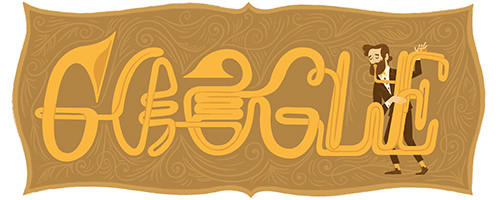
Google puts up new look in memory of Adolfe Sax


Google puts up new look to honour Adolfe Sax's birthday, November 6, 1814.

According to WikipediaAntoine-Joseph "Adolphe" Sax (6 November 1814 – c. 7 February 1894) was a Belgian inventor and musician who invented the saxophone. He played the flute and clarinet, and his other creations are the saxotromba,saxhorn and saxtuba.

Saxophone produced by Sax
I think Google's doing a great job in remembering great men and men of honour.

What do you think? Share your thought...

Labels: ,

Wednesday, November 4, 2015

"No plan to phase out chrome os", says Google

Amidst growing rumors and speculation based off a report from The Wall Street Journal, which stated that “Alphabet Inc.’s Google plans to fold its Chrome operating system for personal computers into its Android mobile operating system, according to people familiar with the matter.”
Google took to it’s blog to inform us of its plans (or lack thereof) for the forseeable future. In the blog post, SVP of Android, Chrome OS and Chromecast, Hiroshi Lockheimer cleared the air regarding the future of Chrome OS.
While we’ve been working on ways to bring together the best of both operating systems, there’s no plan to phase out Chrome OS.
The blog post further goes on to list the success of Chrome OS since its launch six years ago, from its wide adoption in US classrooms to its ease of management for IT administrators. There’s also the fact that Chromebooks continue on increasing in popularity, with more and more manufacturers adopting this web based solution. As a result, we are slated to see even more devices in 2016 on this OS.
The post also mentions on the future plans for Chrome OS. In the works is a new media player, a visual refresh based on Material Design, along with the usual promise of under-the-hood improvements and security updates. Chromebooks are guaranteed auto-updates for five years, making their future look all but questionable.
With the ability to run Android apps on Chrome already existing, the report from WSJ held ample weight when it mentioned that Chrome OS could fold. The dream of running true Android in a desktop environment enticed many of us to hope that the merge would be for the best. Afterall, it seemed like a logical step, a natural progression, for Android to move forth from its mobile success to a much more tasking but comparatively resource independent format.
What are your views on the independance of Chrome OS and Android? Would you have liked Chrome OS to fold into Android? Let is know your thoughts in the comments below!

Labels: , , , ,

Wednesday, September 30, 2015

Teclado de Android L v3.1.20009 [MODs Color Negro y Transparente]

Requiere Android 4.0 o superior.

Con asombrosa predicción de reconocimiento de voz y de las próximas palabras, Google Keyboard le ayuda a escribir más rápido y con mayor precisión en todos los dispositivos Android.

Cuando usted no puede encontrar lo que hay que decir, usted no tiene que escribir nada. El nuevo teclado de Google apoya a cientos de emojis, por lo que puede expresarse en cualquier aplicación de Android (KitKat o posterior).

Características principales:
• sugerencias personalizadas, correcciones y terminaciones
• animaciones popup Keypress
• Punto de entrada Emoji y diseños (Android 4.4, KitKat o posterior)
• Typing Gesture con vista previa flotante dinámica
• Espacio conscientes Gesture Typing: No hay necesidad de levantar el dedo mientras se escribe - solo gesto a través de la barra de espacio

• Mecanografía Voz
• Diccionarios para más de 25 idiomas
• diseños avanzados de teclado
• Obras en toda sus dispositivos Android (tabletas y teléfonos)

P.S. Si te interesa descargar este mismo teclado, pero en la versión original (sin modificaciones de color) entonces REVISA ESTE OTRO POST

Labels: , ,