Hands on review: LG GD900 Crystal
Now that I've used my new cell LG GD900 Crystal for more than couple weeks now, I'm ready to write the review of this cell. After reading this, you can decide for yourself whether to get yourself one of these or not. You'll have my opinions too.

Body and Looks :
First thing first. When you have the cell in your hand, it doesn't look anything stylish or extra-ordinary. At least not while the slide is closed. But once you slide out the transparent keypad and it lights up with your touch (literally), it does inspire awe. The transparency really looks cool as we've not seen anything quite like it before. It's a thing to flaunt.
But then again, is there anything else to it, more than just the transparency? Well, there sure is. It provides you ways of doing things differently. For once, you don't have to put your fingers on screen for everything you wanna do. You can simply use the keypad to type text, launch applications using gesture, zoom in and out of web-pages, images etc. But that doesn't mean the main screen remains untouched. Every once in a while, you'll end up navigating on the main screen. For example, you can't key in a 'backspace' from the keypad; to open a new msg, you have to touch the onscreen notification; to launch anything from homescreen, touch the icon on screen. The list goes on. In short, the keypad reduces your touches on screen, but the screen still receives a lot of them and ends up being a fingerprint market.
Checkout the cell from different angles below -
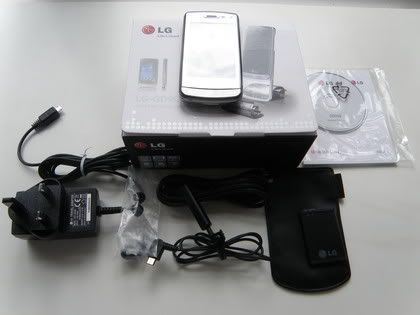 Box Content |  Transparent Key/Touch pad |
 Backside | 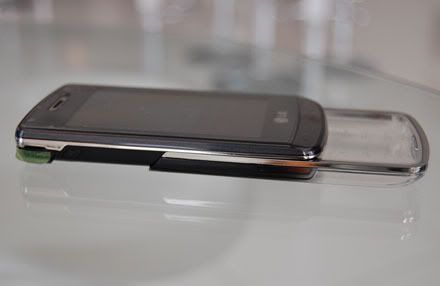 Profile view |
Ease of use :
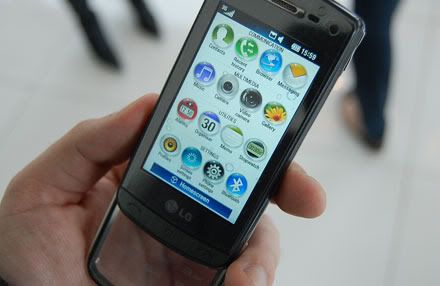
Let's see the user-friendliness of this cell. There are 4 home-screen in this one. Shortcut, Widgets, Contacts & favorites. You can have any one homescreen at a time and can switch between them by swiping your finger from left to right (or opposite direction) on the homescreen. Or you can do the swiping after tapping the middle soft key below the screen which will cause the homescreen to zoom-out to reveal the homescreen cube. You can customize each of these homescreens, apart from setting a different wallpaper for each of them. For shortcuts, you can choose up to 9 shortcuts from 43 shortcuts available. Similarly, you have 10 widgets like calendar, world clock, alarm, radio, calculator, msg/email/miss call alert etc. The contacts homescreen shows your favorite contacts, which you set yourself. You can make a call, send a msg or edit the contact details from here itself. Favorite homescreen shows your favorite pics & audio files and you can view or play them from this homescreen itself, as detailed later in this post.
To customize any homescreen, touch and keep your finger placed on any icon on the homescreen. The customization screen will appear. All these homescreens are very very useful indeed and you get very dependent and used to them.
There's a quick menu which appears when you touch the topmost bar of the screen, where the battery charge, signal strength etc appear. This quick menu enables you to turn bluetooth, wi-fi, alarm on or off; lets you launch the music player, shows event (missed call & unread msgs) notification and lets you change active profile (Normal, outdoor, silent etc).
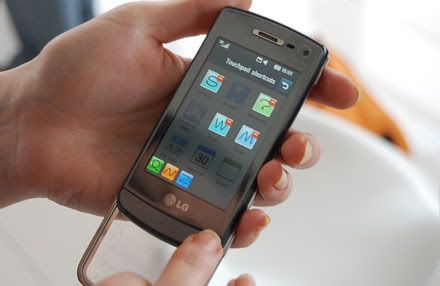
There's also a multitask window. Keep your finger on the middle soft key below the screen for sometime to open it. It consists of 9 fixed applications; Contacts, Browser, Msging, Games, Email, Music, Memo, Organizer, FM. Sadly you can't add or remove any icon from this window and can only move them around. Whichever application is currently running, it's icon will be jumping at it's location. You can end all running applications by touching the 'End all' button. You can also assign touch gestures to each of this applications. Assign any gesture to any application on the Shortcut window and you can launch that app no matter what you are doing on the cell by drawing that gesture on the keypad/touchpad. Bad news is you have 9 pre-designed gestures. You can't make your own gestures for apps.
All in all, the accessibility of all the apps is very easy and the homescreen is very useful. Everything is at your finger tips.
 Menu Screen |  Homescreen cube | |
 Multitask / Shortcut Window | 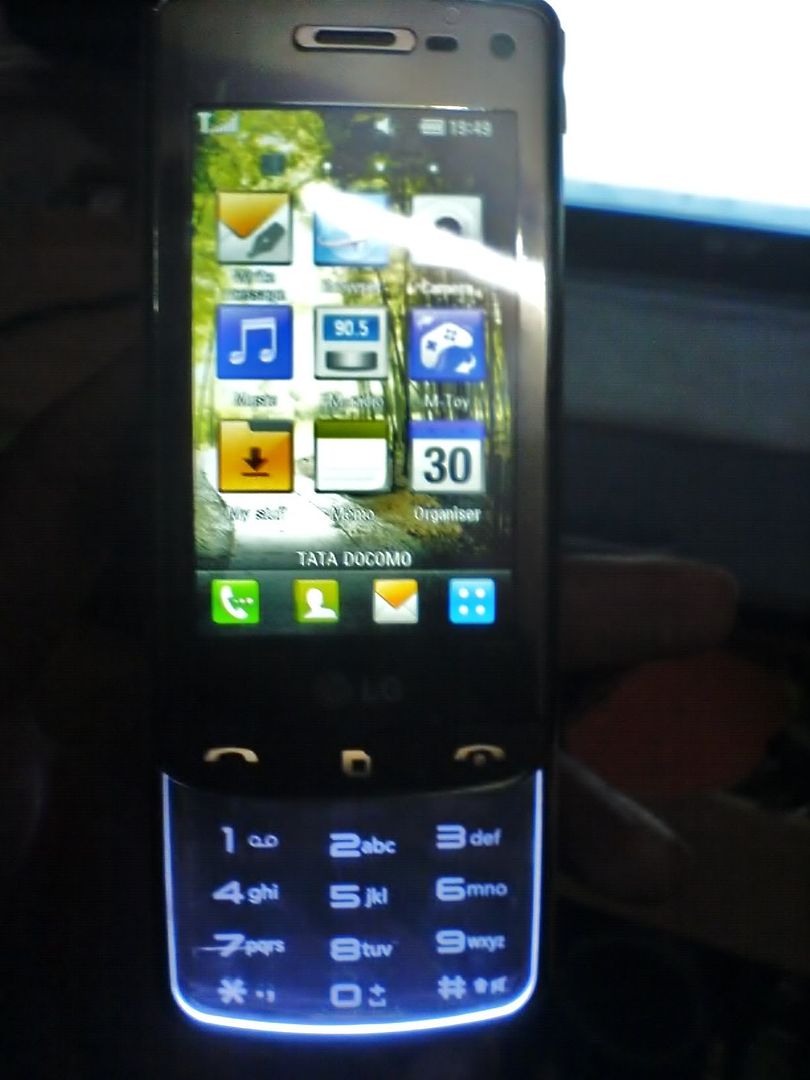 Shortcut Homescreen | 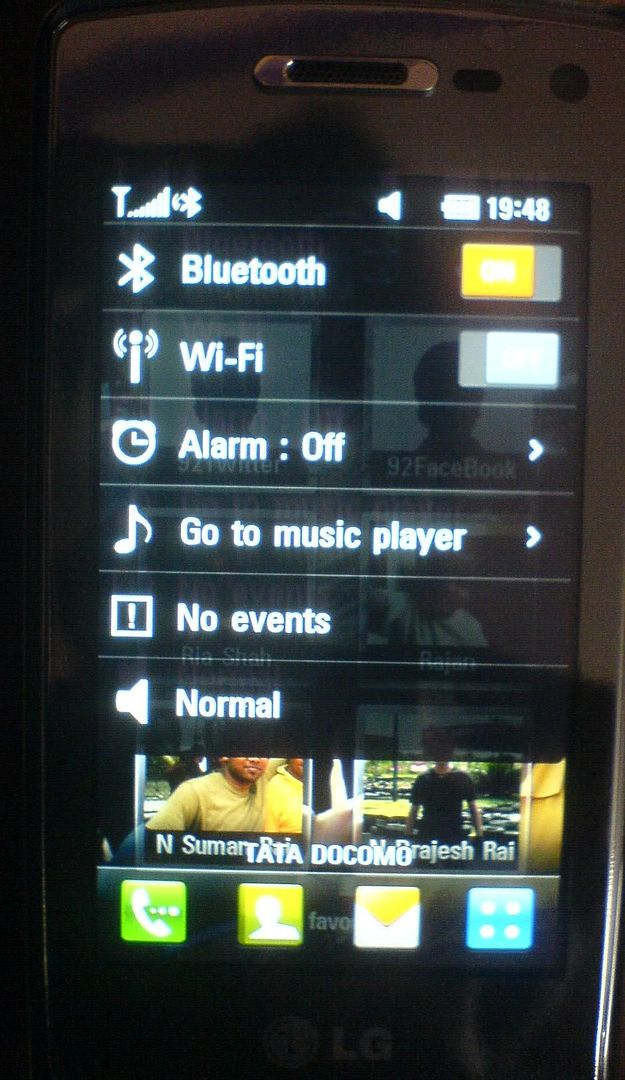 Quick Menu |
Calls & Messaging:
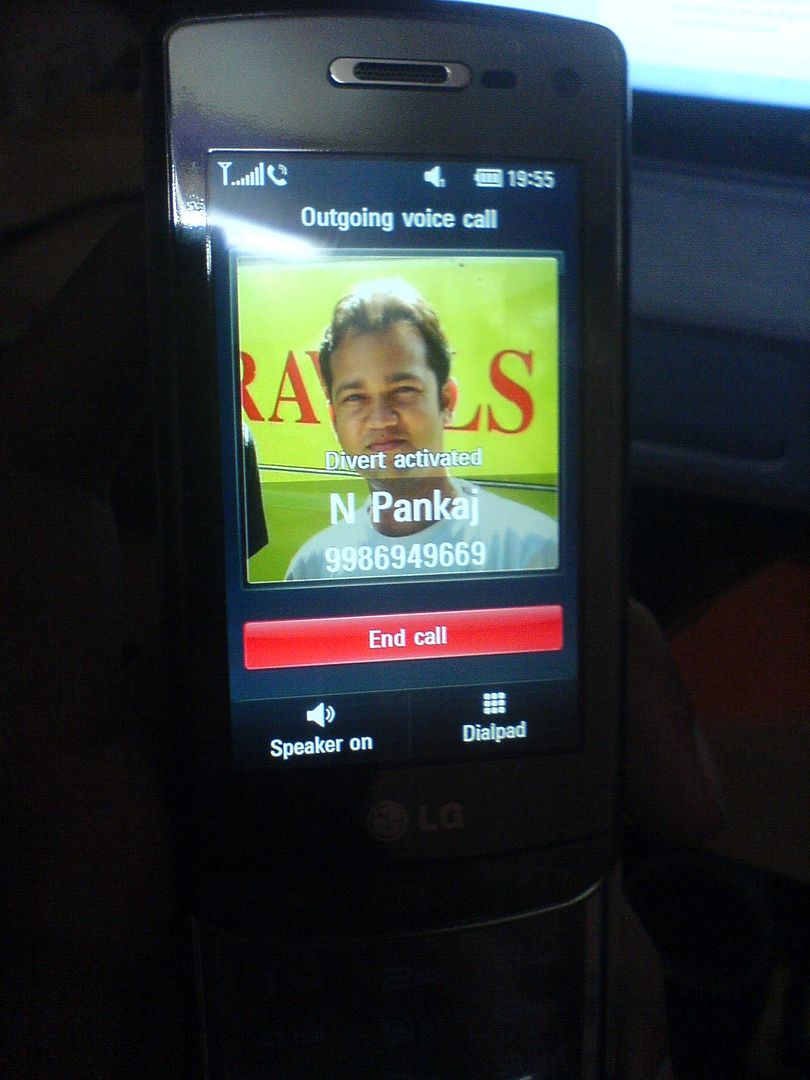
Ok, let's talk about the basic features of a phone. Calls and SMSs. The screen during an incoming and outgoing call looks cool and reminds you of iPhone. Sound quality in an ongoing call is satisfactory. It's crisp and clear. But there's some problem with the ringtone volume. It keeps reducing and increasing on its own. And sometimes you won't even hear a ringtone even when there's an incoming call. So, I have to keep it in vibrate mode all the time, so that I don't miss a call. Same goes for SMSs. If your keypad is out, the MSG alert volume reduces drastically and you might not be able to hear it. So, be on high alert when traveling with this cell in your pockets.
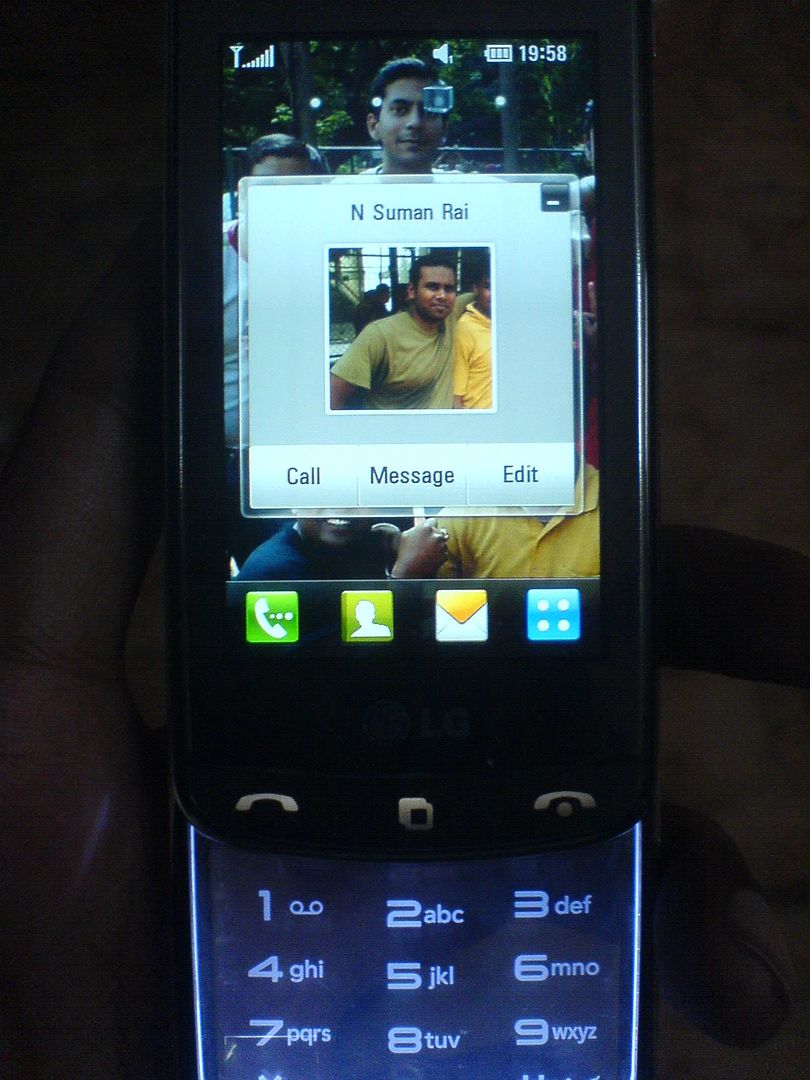
Making a call is easy. You can tap any of your favorite contacts on the 'Contact' homescreen and you'll get options to Call, Msg or Edit that contact. Else, you can open the phonebook by touching the contact icon in the bar at the bottom of screen and touch the 'call' icon at the right end beside the contact name to make a call. Or if you call the person frequently, just access the call history by touching the left soft key. And of course there's the option to entering the whole number manually from homescreen.
Speaking of call history window, it's missing basic features. There are no separate views for 'Dialled calls' or 'Received calls', even though there's a separate 'Missed calls' view. You have an 'All history' view where you can see all kind of calls, SMS & VT history. There are 3 more views for Calls only, Msg only & VT only. But lack of 'Dialled calls only' and 'Received calls only' view is a downer.
Coming to msging, there are hell lot of options for typing SMSs. With the transparent keypad, with the onscreen virtual keypad, with the virtual qwerty keypad; and even hand-writing. Even though the last one is not very apt and keeps throwing wrong letters every now and then. I read somewhere that adding new words to the T9 directory is difficult in GD900. But I didn't find it so. It's pretty usual. Type a wrong spelling, an exclamation mark appears, touch it and it'll take you to the 'New word' window. The usual way it is done on every cell. In addition, you can also open the T9 dictionary and add new words to your hearts content. One difficulty with SMS typing on GD900 is regarding selecting text to copy. Getting the cursor to your point of interest is very difficulty. Even though there's a magnifier. You touch the msg box and keep your finger there for some time; a magnifier with the current cursor position will appear. Now as you drag your finger across the screen, the cursor and magnifier will move with your finger till you reach your desired start location and lift your finger. You click the 'Block cursor' so that text between this start location and next location you select will be highlighted for copy. But getting your cursor to the end point is difficult. For once, the magnifier doesn't appear anymore. And where ever you touch the screen now, that becomes your end point. You can't change it without starting all over again. Try doing that 3-4 times and you end up totally pissed-off.
You got to be extra careful if you intend to send a msg to multiple recipients. You have to add everyone in the 'To' field only. If you add any number to the 'CC' field, the msg will be treated as an MMS and you'll end up paying MMS charges for every single one in the list.
But it's not all bad. Firstly, when you open the inbox and touch a msg header, it expands there itself and you see the msg contents. Scroll the msg and you see other msg headers below it. Touch any other msg header and the last open msg wraps and the new msg opens. Below each opened msg you get usual options to Reply, Forward, Delete, Call, Copy, Move etc. There's a 'My folder' option where you can create multiple folders and save your msgs as per their content. No more a single 'Saved msgs' folder for all saved msgs. The coolest feature is the 'Threaded box'. It's like your facebook wall and your SMS conversations appear in threaded & chronological order. You don't have to keep switching between Inbox and Sent items view.
 Outgoing call screen 1 |  Outgoing call screen 2 |
 Contact Homescreen menu | 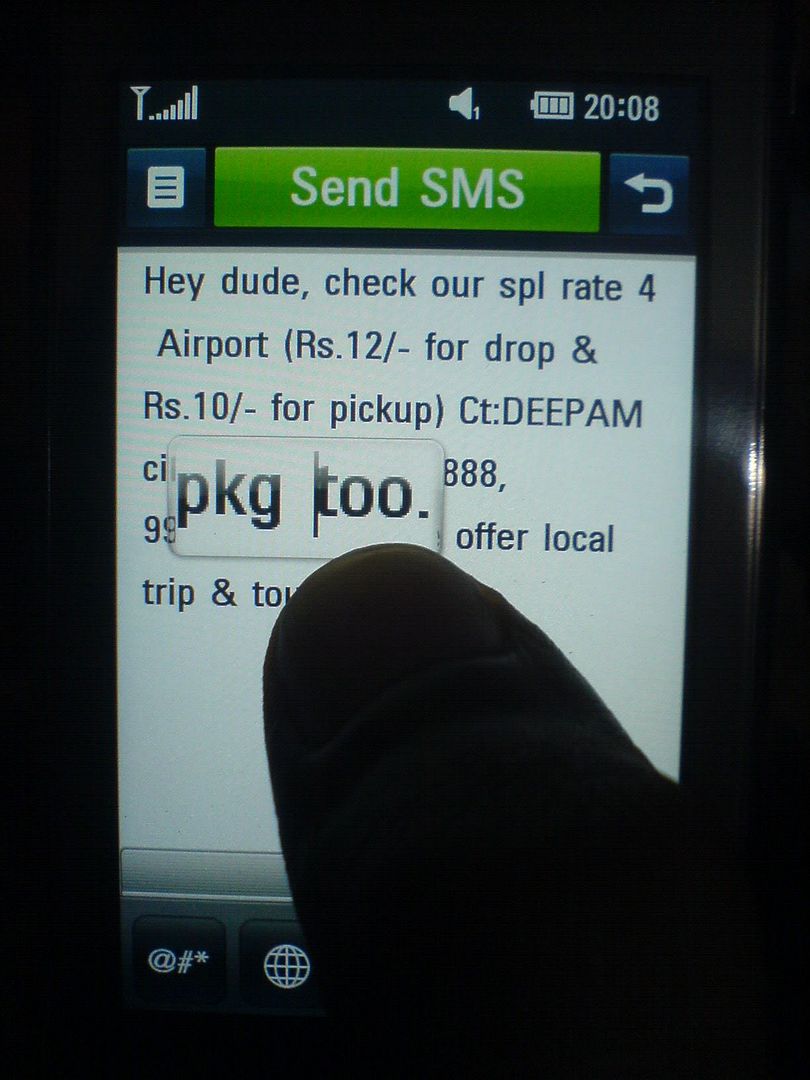 Text magnifier |
Camera :
With an 8 megapixel camera on board, you expect a lot from the phone.
Updates after using the cell for 10 months: The camera is worthless. Total piece of junk. The very 1st few pictures taken were good. But thereafter, all the pictures are very noisy and ugly. If you are depending on this camera to take some nice pictures for you, you are in for a huge disappointment.
Let's talk about options available in the camera. After launching the camera, go to the options menu by touching the top left icon on screen. The on screen menu is much better looking than most stand alone digital cameras. You rotate the semi circle at the left end of the screen to navigate between different categories. You get to choose between Primary & Secondary camera, 10 different image size (ranging from 3264x2448 to 320x240 pixels, mms, contact), color effects, white balance, auto shot timer etc. You can even pick the ISO rating you wanna shoot at. There are options for image stabilization, auto focus, face tracking etc. There's a Continuous shot mode too. But alas, no 'Panorama' mode. :-( Gonna miss that from w810i. Its omission is really surprising and heart-breaking. Also, there's no option to append picture time stamp on the clicked image.
Video recorder is also kinda good. The highest video resolution available is 720x480 at good-enough fps, which is great. The most amazing feature is the shoot speed. Apart from normal shoot, you get slow mode - which will record in those super cool 'max payne' mode and fast mode - where time will fly. :-) Play with this toy for some time and you'll get a hang of this.
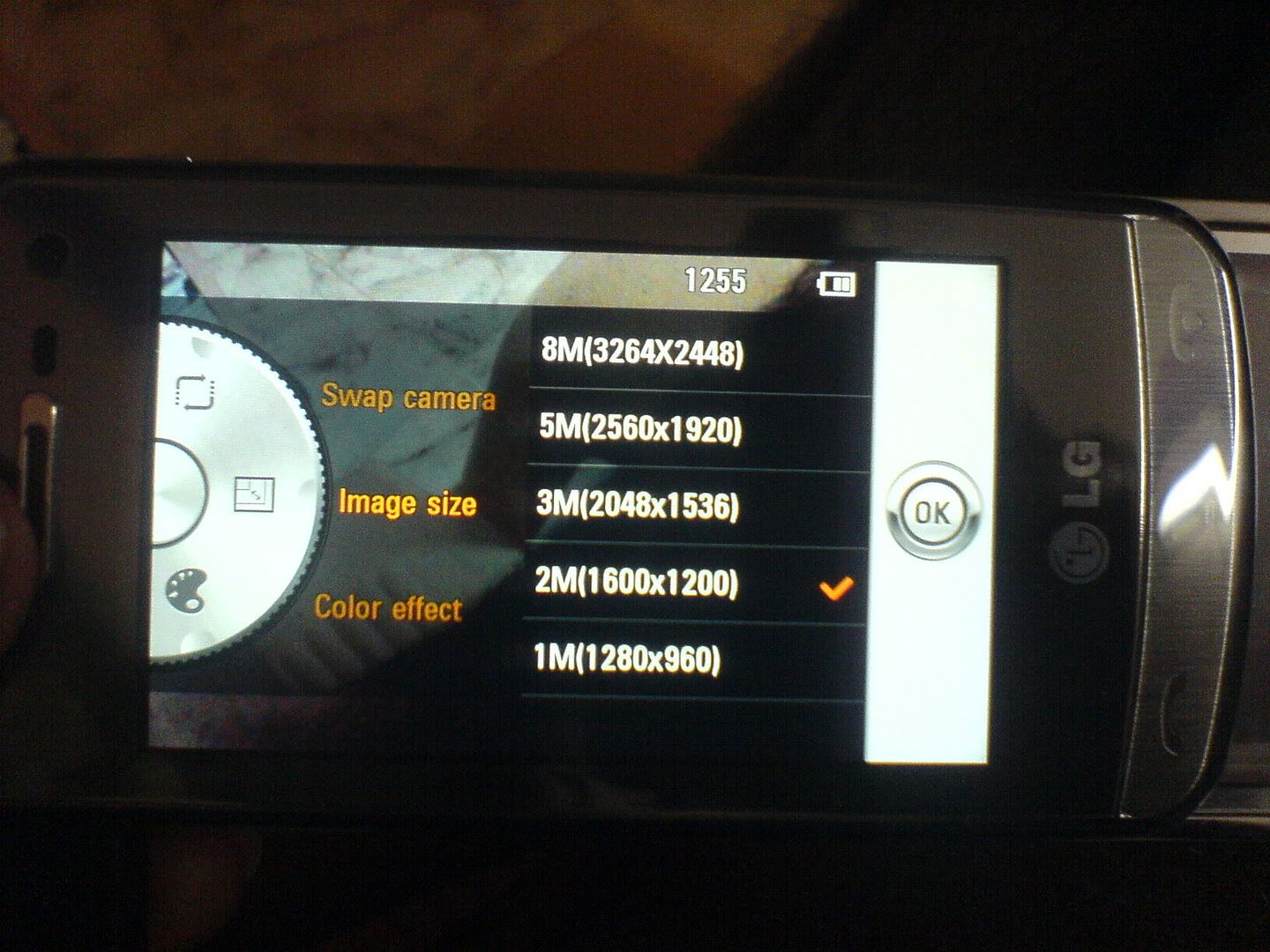 Camera options | 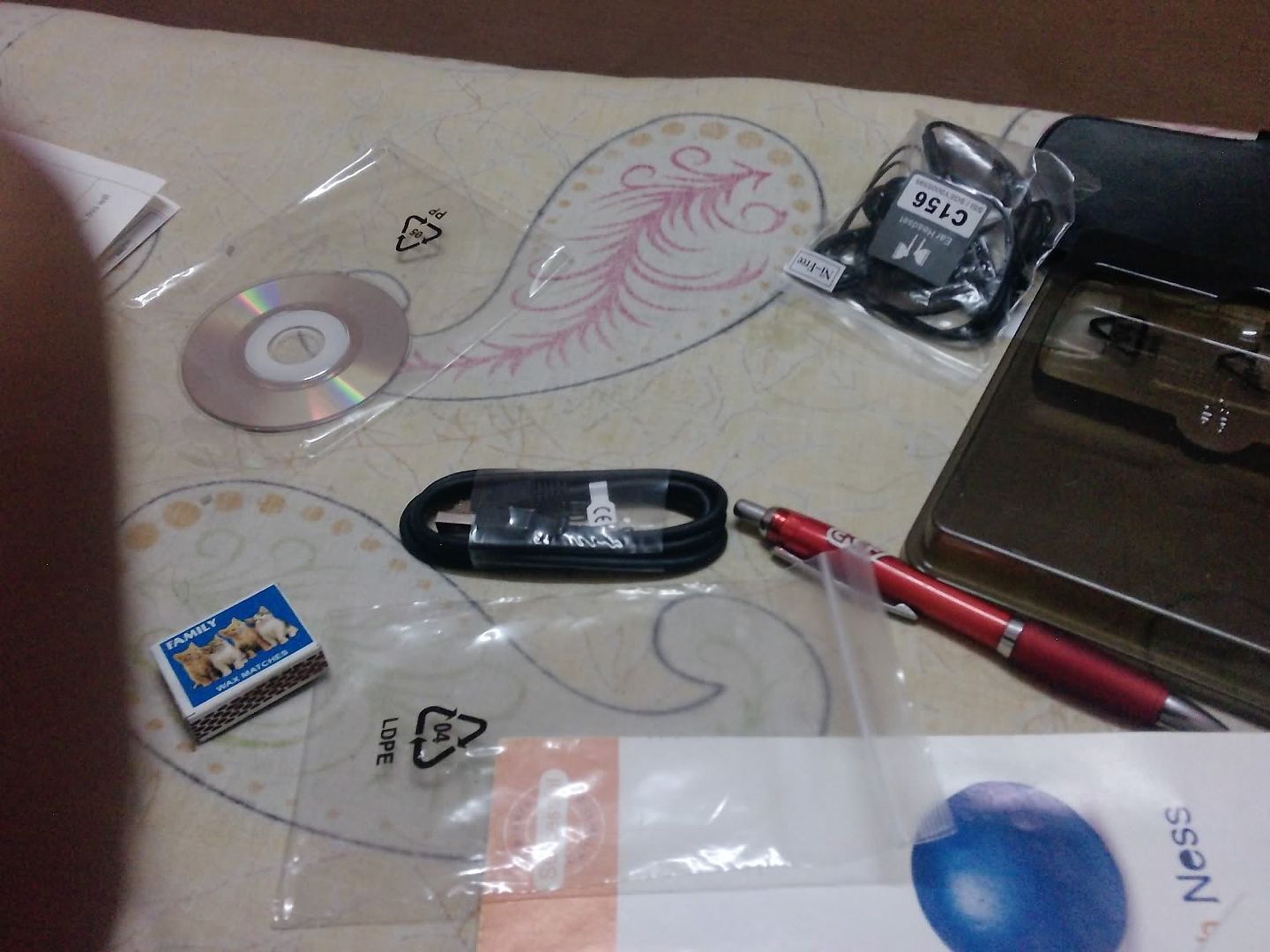 First shot |
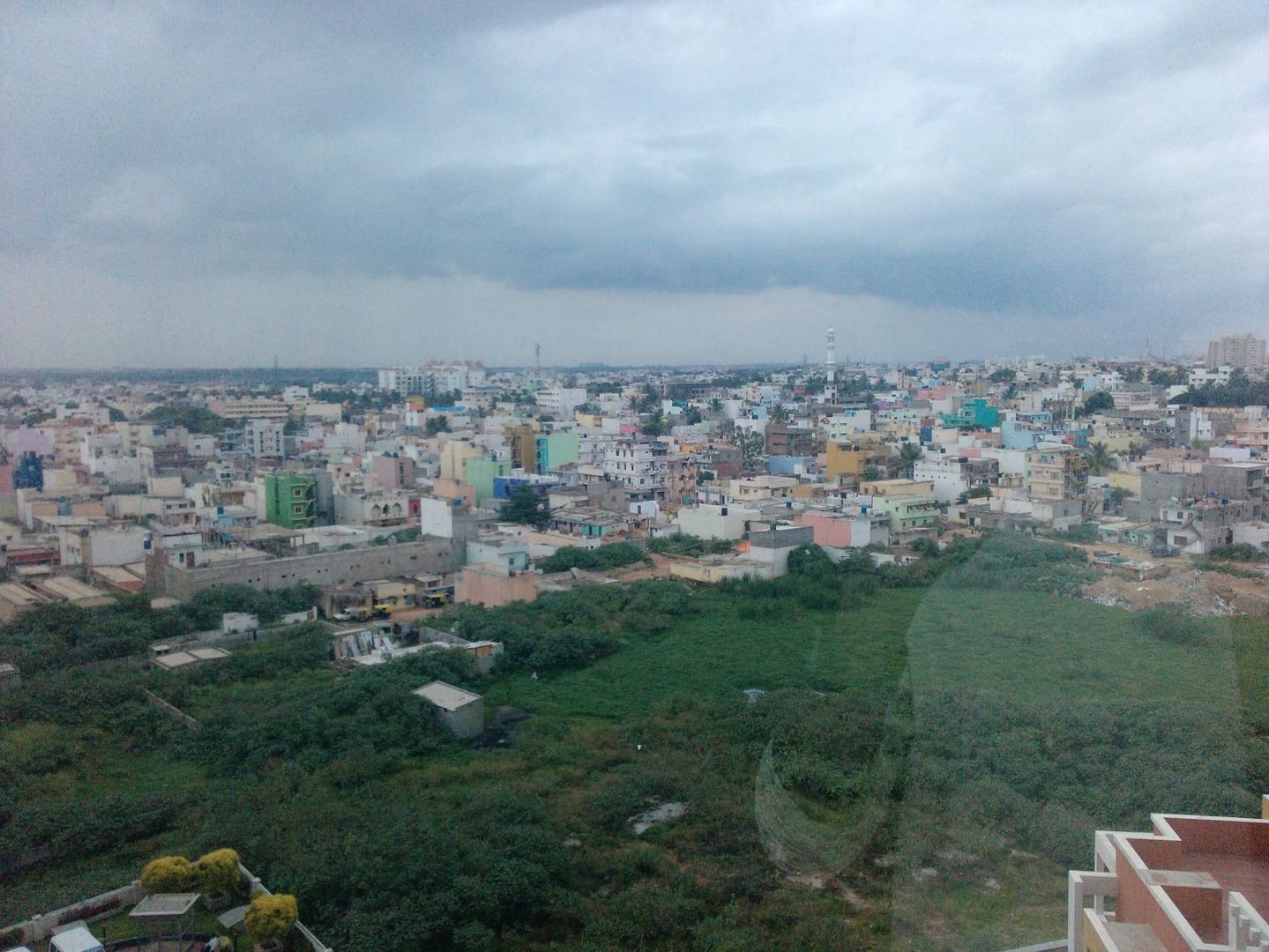 Shot @ 8MP mode | 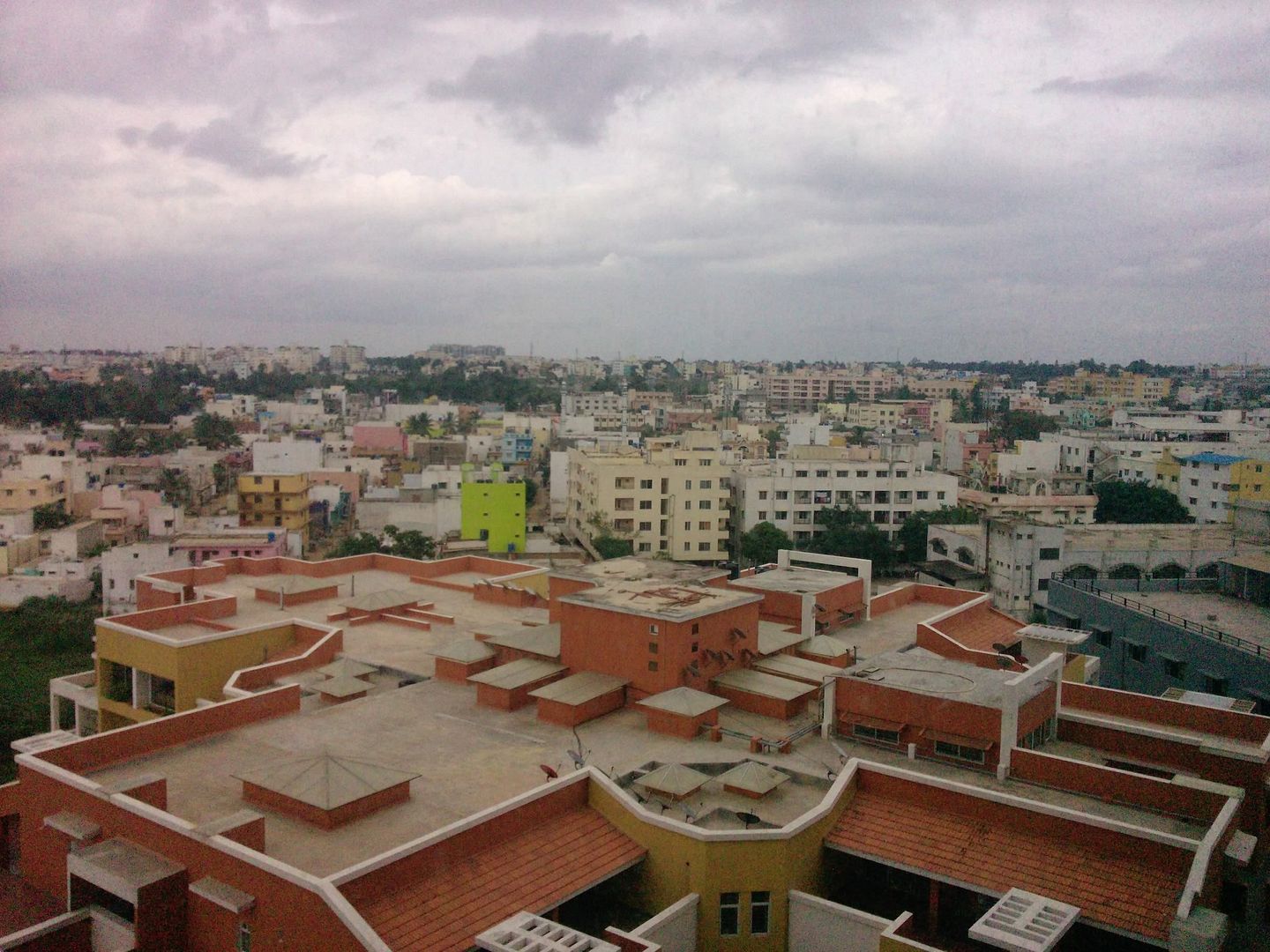 Shot @ 8MP mode |
 Natural light shot |  Shot at night |
Connectivity :
Next, connectivity options. There's 3G, Bluetooth, USB and Wi-fi. Haven't got chance to try 3G and Wi-fi yet, even though it detected the presence of the Wi-fi network on my office floor. The other two options malfunction a lot. Last night I was able to transfer 5 songs via bluetooth from my laptop but this morning I was not able to transfer some pics. The cell and the notebook won't shake hands at all, even though they both are on each other's bluetooth device trusted list. To eliminate laptop from the 'cause of failure' list, I transferred the files to my old SE w810i easily via bluetooth. But the GD900 won't shake hands with him either. Dumb piece of tool with a broken 'blue' tooth.
The USB connection isn't any better. Install the PC suite on computer and connect the cell via USB. The cell detects the USB connection but the dumb PC suite doesn't. It offers 'help' regarding 'how to connect', but when you click it, it automatically starts searching for bluetooth devices. There's no option to search for devices connected via USB. Even when cell's bluetooth is on and it show's up on 'how to connect' help window, when you select the cell and click 'Connect' it asks for a password. Which password, dude? I never set a password for USB or bluetooth connection!! You enter a string and click connect again hoping a password prompt will now appear on cell; the usual drill. But the cell remains unfazed. Your only option is to disconnect and connect the cell again and again till the PC suite shows mercy and recognizes the cell's presence.
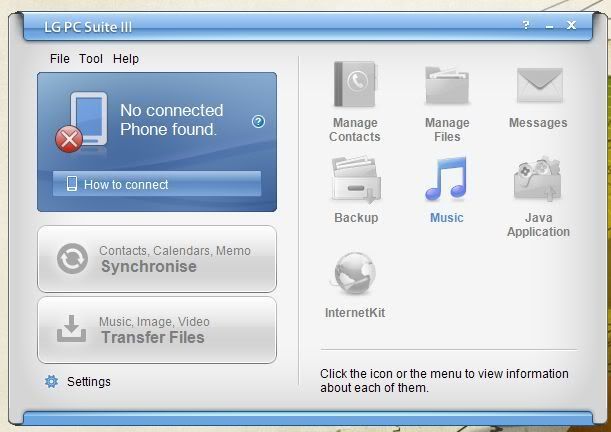
LG GD900 PC Suite
Music Player / FM:
Now let's move on to applications. The music player UI is quite good. You get a list of all your tracks in the default 'All tracks' window. Touch any track and it expands, just like SMSs in inbox, to reveal track info like Artist, album, genre, album art etc. Though the album art fetching fails most of the times and the player is able to fetch only a few song's album art. Click the play button and the song starts playing, with visualization. :-) This looks totally cool. There are 5 visualizations to choose from in the context menu. Tilt the cell 90° to hold it in landscape mode and the player also reorients with the left side of the screen having current playing track and right side having the track list. You can also mark some tracks as your favorite and play them directly from the 'Favorites' homescreen.
The sound output while playing songs is good. In the player, you get several preset equalizer but you don't get to customize one. Also, there's a one touch dolby digital sound toggle icon.
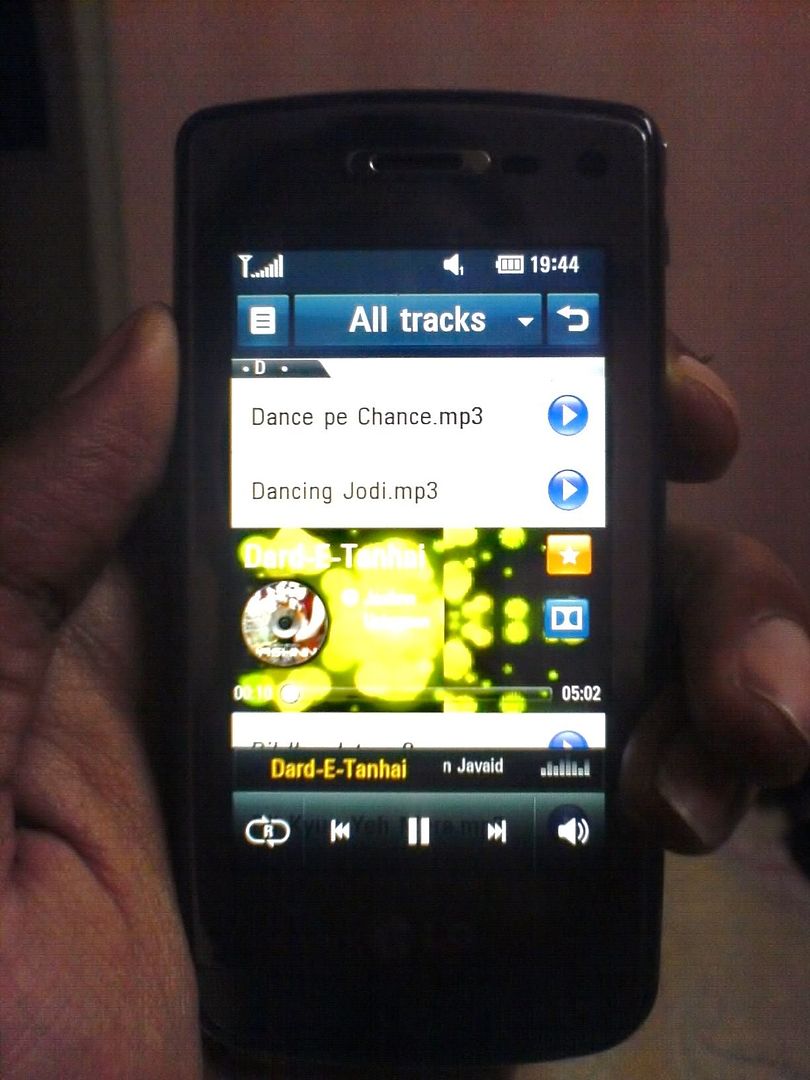 Music Player Normal | 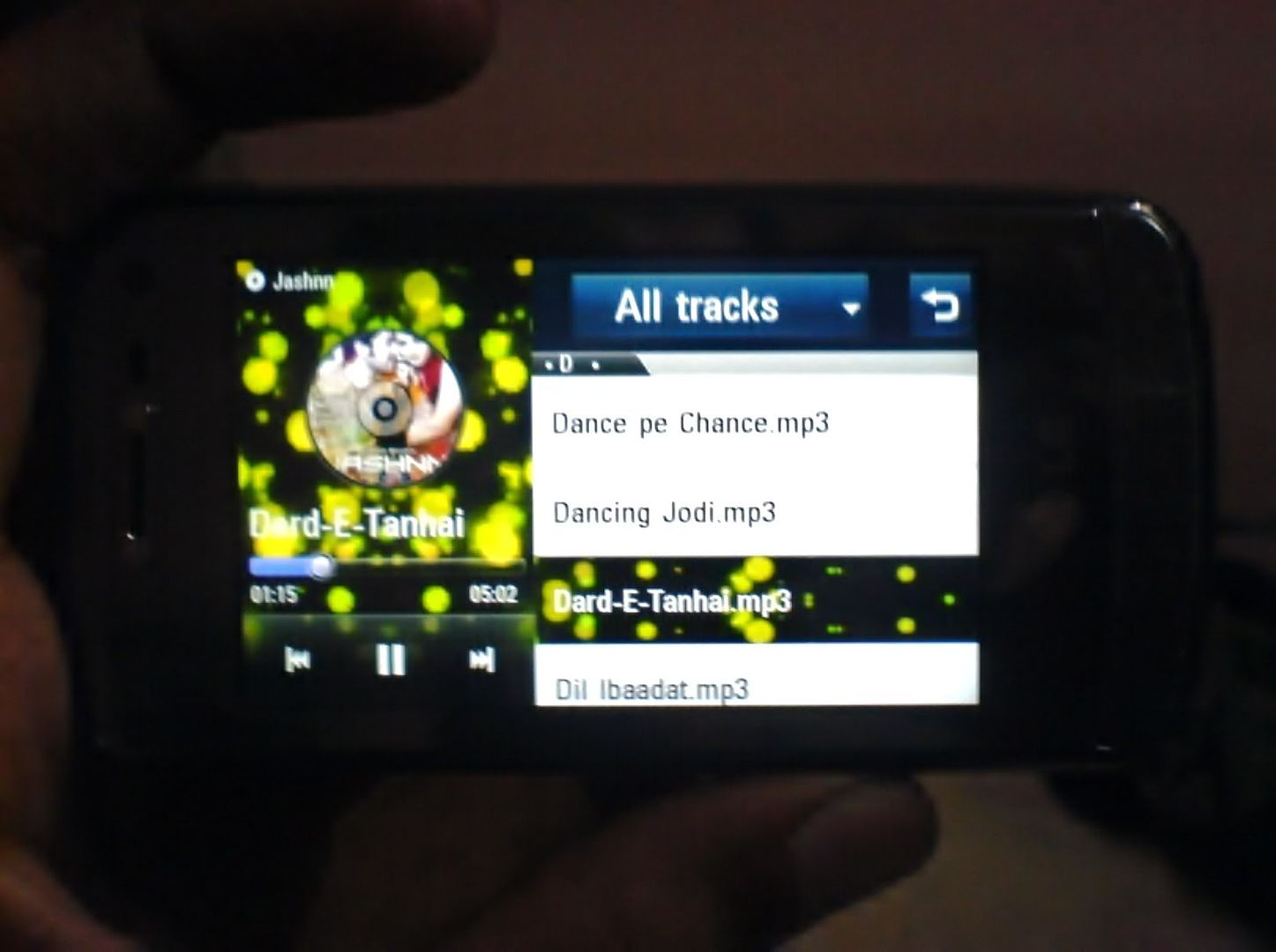 Music Player Landscape mode | 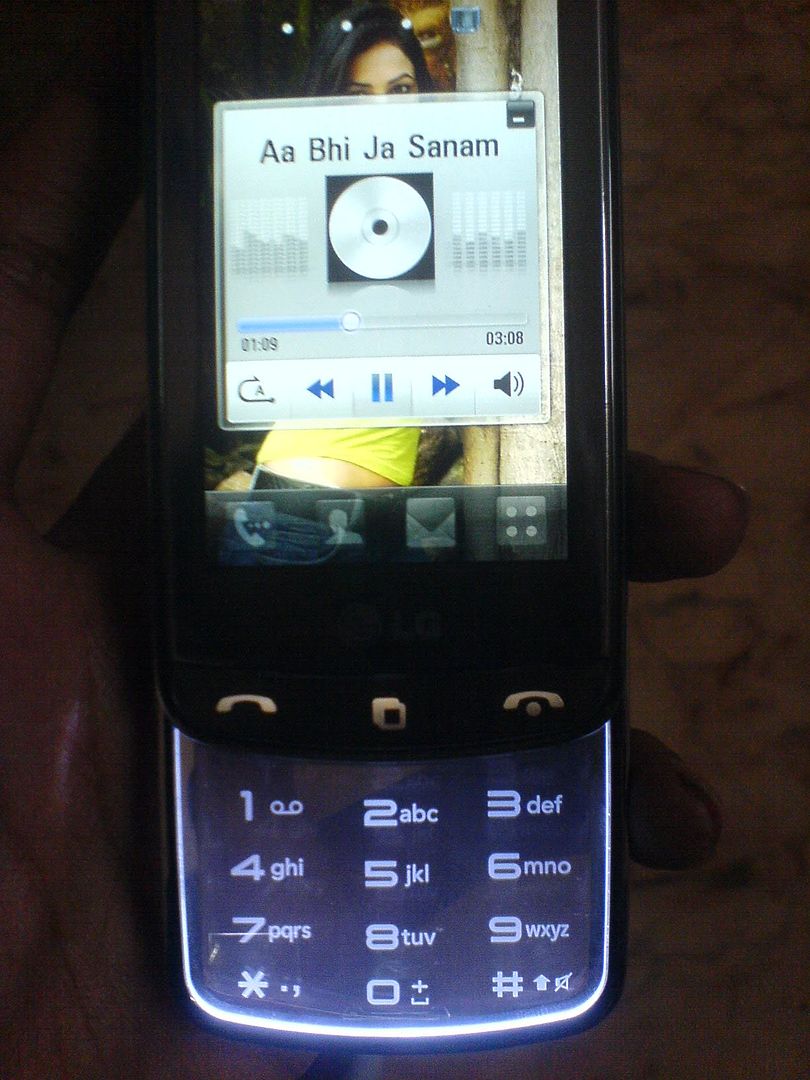 Play from Homescreen |
Coming to the FM application. The UI gives you a classic FM feel. But there are problems with the reception. First, the auto-scan option doesn't discover most of the stations. For me, it detected only Radio Mirchi and couple others; missing a whopping 7 stations, including Radio City, Indigo, One. Even when I manually tuned Radio one, I kept getting a lot of static every now and then; even when I was getting a clear reception of the same station on my old cell. Bad bad radio. [I had to give up listening to Radio all together. :( :(] Moreover, if the cell receives an SMS while you're listening to FM, it doesn't even make a noise. You won't know of it until you look at the screen. That's a downer. w810i used to stop the FM playback, sound a msg alert and resume FM. That's what made me totally carefree while listening to FM on road. But now I'm missing all the msgs on road.
On a related note, not particular to GD900, touch phones take away the flexibility of normal hard key phones. With w810i, I could easily switch between FM & Walkman while on road, even without taking the cell out of pocket. I could feel the FM/Walkman toggle button with a simple touch and press it to toggle between them. And if I didn't like a song playing on the walkman, I could move on to the next track by feeling and pressing the 'right' button of the wheel. No such option in the touch phones. :-( So, practically, touch phones are not that touch friendly huh...!!
Applications:
Now for some good features. The photo & video applications are quite good. You can launch the 3-D photo gallery from the main menu window while holding the cell in landscape mode. Swipe your finger across the screen or keypad to navigate. The gallery shows both Video and image files. To view any pic, just touch it on screen and you see it full screen. Any video can be played in the same manner. The on screen controls for the video appear when you tap the screen while the video is playing. And they look cool. There are 3 levels of zoom for the video playback; small, normal and full screen. And none of them throw distorted images, thankfully.
There are full fledged image and video editor tools available on board. While playing the video, open the context menu and click 'Edit'. You'll get options like Trim, Merge, Dubbing, Text/Image overlay, time scaling etc. Similarly, for images, you get options like Filters, selective filter, Adjustments (Brightness, contrast, exposure, saturation, hue, white balance etc), add text/stamp, draw lines etc. You'll enjoy your time editing your images to perfection. But sometimes it throws 'Out of memory' error,even though you see 500+ MBs free in memory. Not sure which memory it is talking about.
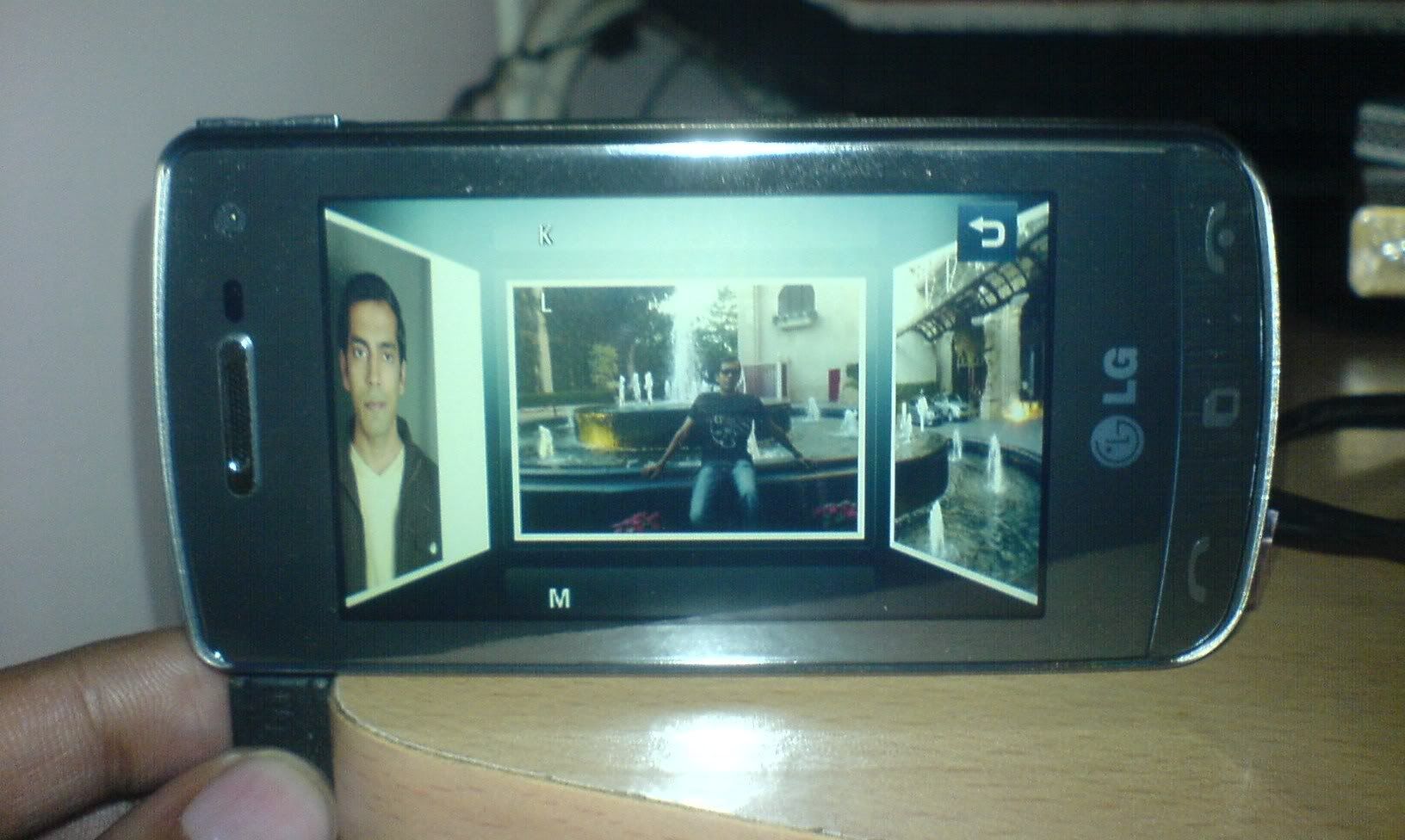 3D Media Gallery | 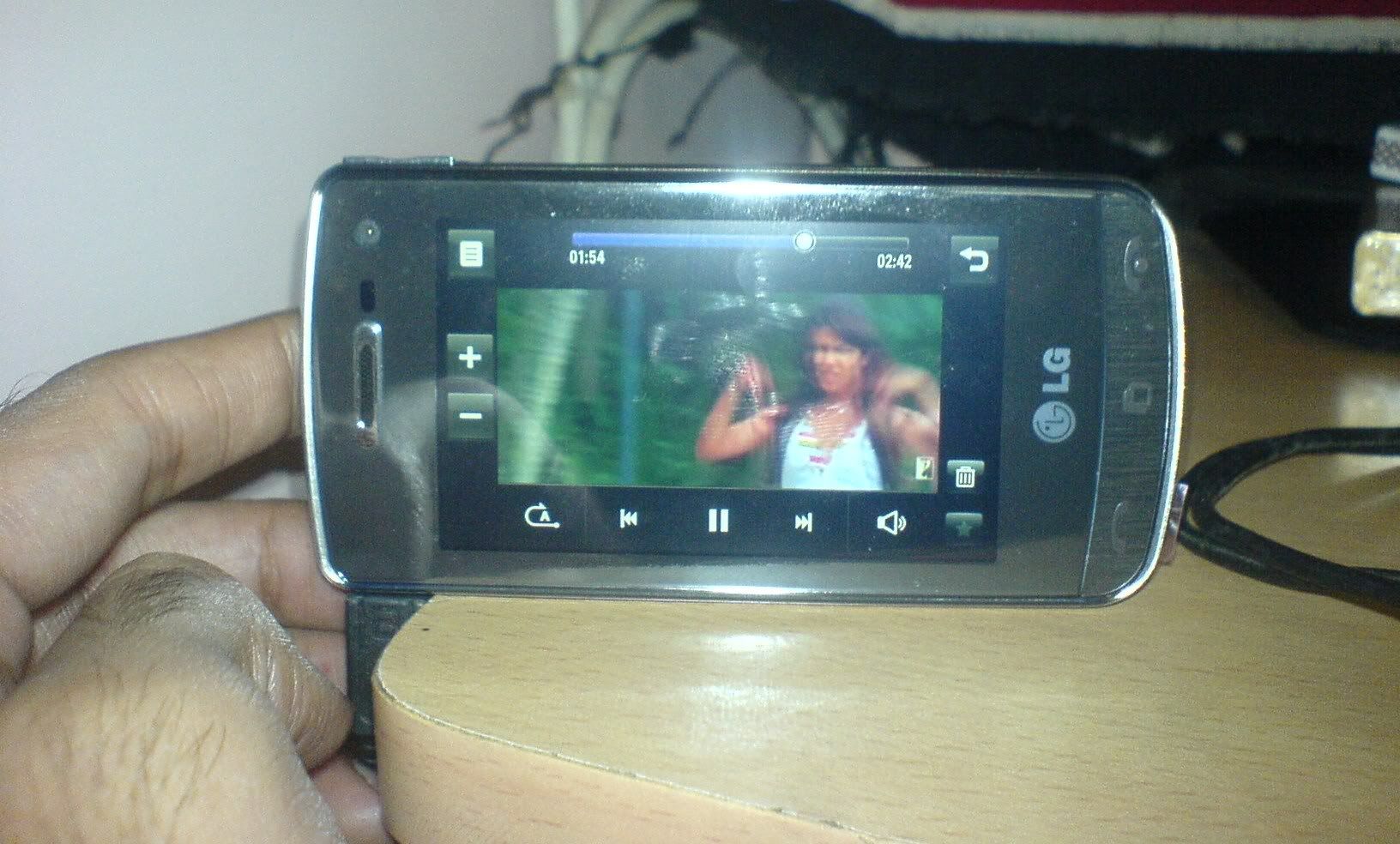 Video Player |
Anyway, next, browser. The look and feel of the GD900 browser is simple and good. You can zoom in and out of pages by pinching your fingers or moving them apart on the transparent keypad. It works just like a multi-gesture touchpad of current notebooks. But then again, this also malfunctions. Sometimes the cursor arrow appears on screen and I'm no longer able to do anything from the touchpad, apart from moving the arrow here and there uselessly, as it can't even click on links. I have to highly zoom into the webpage, by moving my fingers apart on the main screen, and touch-click the link with my finger. Sometimes even that fails. God-damn-it. And it is more horrible when you use Opera mini, assuming you have installed it. Forget about using the Keypad/Touchpad. If you try to scroll the page by swiping your finger on the keypad, the scroll will end only after reaching the edge of the page. Zoom doesn't work from keypad. Every interaction has to be done on the main screen. In short, what was touted as 'the best experience of web browsing on cell' turns out to be the most frustrating one. Even the opera mini on my simple w810i worked better than this.
The 'Alarm' tool is pretty useful on this one. You get to create and save multiple alarms and can turn on any of them anytime. For example, you can create one alarm to wake you up every weekday at 8 AM, one alarm for Sunday 12 noon, one for 6 AM for your flight or whatever. You don't need to create and set an alarm everyday. Create multiple different alarms once and turn on which ever you need anytime. There's also a 'quick alarm' which lets you set an alarm which you'd like to go off within an hour, say after half hour. Pretty convenient.
Then there's 'Organizer'; pretty heavy on features but lacking some basic usability. It's a full fledged calendar with options to add schedules and task. You get a month, week & day view. Schedules are something like MS outlook calendar event. You get to set event type (Appointment/Birthday/Anniversary), Start/End date/time, when to sound alarm etc. Task are much simpler and kinda useless. You get to set only date, note & priority. A saved task only sits in your scheduler and doesn't ring a bell. There's no reminder facility for a task. If you want to be reminded of a task, save it as a schedule. That's another feature I'm gonna miss about w81oi. There I could very quickly add a task and set the reminder. In GD900, I'll have to open calendar, open 'add schedule', set different properties and save. Huge task for a simple reminder.
 One cool feature in the scheduler is 'msg scheduling'. You can type a msg and schedule it to be sent on a future time. Open 'New Msg' from Organizer, set the date, time, recipient and msg; save; and the msg will be sent on the set time. Pretty convenient way of greeting someone on their birthday in case you forget it on time.
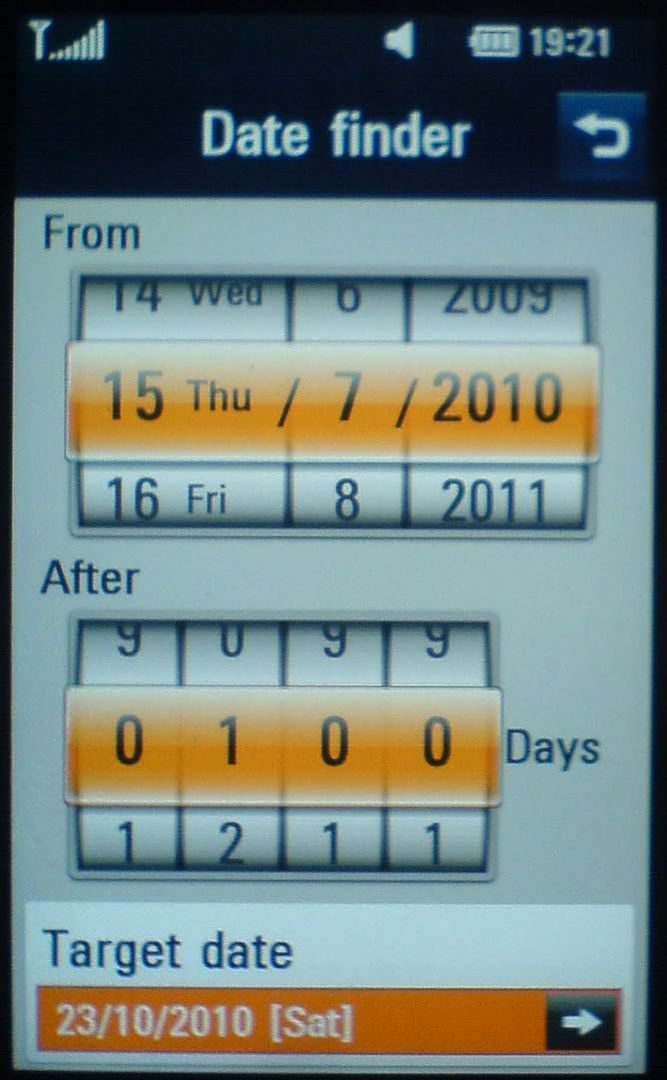
There's also a 'Date finder' where you can find a future date. i.e., if you want to see what's the date 100 days from today, this is your tool. Sadly, there's no 'past viewer'. You can't find what the date was 100 days before today; unless you guess the date and see if 100 days from that date is today. :-)
Memo, stopwatch, world clock, voice recorder, unit converter are basic and do their work. Calculator has scientific mode as well.
There are 9 pre-installed 'M-Toy' games, most of which are motion-sensor controlled. Had high hopes on them, but it turns out to be huge let down. All the games are out-right boring. Some are not even games. The 'Mellow Candle' is a game where you light a candle by touching its tip. That's all. Didn't even understand what's gameplay rules of 'Wheel mania' and 'Golf slope'. Other games are also irritating. So much for motion sensor...!!
There's movie maker which creates a slideshow with your pictures and library/custom sounds. Some of the themes are pretty cool and the movie generated looks good.
Now, some quick drawbacks.
- Camera - 8 MegaPixel worth of shit. You should just forget that this cell has a camera. It's of no use.
- The battery charge indicator is almost useless. It doesn't correctly show the charge level. For whole day it can show full and then suddenly drop to 2 bars to empty within an hour. There's no way to check the percentage of charge remaining.
Same with the signal strength. It shows either full house or zero signal. I haven't seen anything in between till now. - When a contact has multiple numbers and you need to select one of them for making a call or sending a sms, the cell doesn't show which number is for what. You select the contact from the contact list and it shows you all available numbers for that contact. But you can't see which number is for cell or home or work. That is very frustrating. You can see those icons only when you are editing the contact details.
- The headphone supplied is pretty weak. First, it doesn't receive FM properly and misses most of the channels. Then, when you are using it during an ongoing call, the person on the other end of the call won't be able to hear you clearly. And if you are in a noisy environment, say on road, it's almost useless. And one day, the headphone just stopped working; just like that.
- The cell restarts/hangs pretty often;
though not as much as I was told by certain forums. So far, my cell had restarted while browsing web, editing video clip, switching between music player & msging.It's a freaking mess. Every now and then, the cell is switching itself off. If the cell goes without doing this for 3 consecutive days, I consider it a lucky week. - There's no in-built support for 3.5 jack. But that's not such a big issue. The headphone assembly consists of a 3.5 jack adapter. That would do.
So, all in all, is this a 'good enough' cell? A quick look at the Pro's & Con's -
Pro's -
- Full touch screen cell with 1.5 Gb internal memory, 8MP camera, 3G & Wi-Fi at 12.5 grands. Unbeatable.
- Nice & user-friendly home screen.
- Multitasking and gesture shortcuts.
- Clear voice quality during calls.
- Threaded msg box. Multiple 'saved msg' folder.
- Multiple ways to type msg, including full QWERTY and hand writing.
- 8 MP camera. Good picture quality. Slow/Fast video capture.
- Secondary front facing camera for self shot and video calls.
- 3G, Bluetooth with A2DP, Wi-Fi.
- Sleek music player and FM. Dolby digital sound.
- Full fledged Image and video editor.
- Multiple saved alarms, exhaustive scheduler.
- Message scheduling.
- Doc viewer which can read doc, pdf etc.
Con's -
- Worthless camera. Very grainy and ugly pictures.
- Camera - no panorama shot or timestamp on image.
- Ringtone volume keeps changing on its own.
- No 'Dialled calls' or 'Received calls' view in history.
- Very difficult to select and copy text in text msg.
- Bluetooth and USB connection malfunction big time.
- Buggy and non-user-friendly PC suite software.
- FM unable to spot most FM stations. Throws lots of static.
- Massively buggy browser. Difficult to browse.
- Boring motion-sensor games.
- Bogus battery charge and signal strength indicator.
- Restarts / hangs a lot.
There you have it. All pro's & con's of the LG GD900 crystal. If you ask me, I'm not that much satisfied with this cell. Originally priced at 27 grands, I had expected a lot lot more from this cell. But the fact that it is now available for 12 grands makes you feel ok about it. It also makes you wonder what brought down the prices so drastically..!! Is there some major flaw that I'm missing...!!?? Bluetooth and USB connections are really pathetic. What other flaw is there? But then again, when you are getting full touch screen, with transparent sleek keypad/touchpad, 1.5 Gb internal memory, 8MP camera, 3G & Wi-Fi enabled cell at 12.5 grands; I guess some flaws can be looked over. Other products at this price range have at most 1Gb internal memory, max 3 MP camera and no Wi-Fi at all. So, I'd say - if you are looking for a feature reach phone at mid-range budget, a cell which you can flaunt - go for LG GD900 crystal.
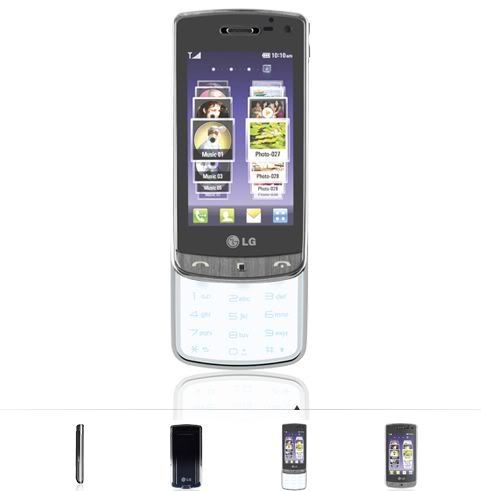
Checkout more cool snaps of LG GD900 Crystal at Leonardo Lightbox Gallery
posted by kjnb @ July 20, 2010
0 Comments