Of late, I've been receiving requests from some of my readers and friends to guide them on how to add 'Live Bookmark' of any website to their browser. I use Firefox 2.0 hence will give a step by step guidance on this here. But first, lemme clarify the term 'Live Bookmark'.
Live bookmarking is a method of displaying
web feeds as a folder of
bookmarks. It was introduced in
Mozilla Firefox 1.0 in 2004 and has since been adopted by other web browsers. When a user adds a feed, its articles appear as items in a regularly updated bookmark folder in the bookmarks menu or sidebar. In plain terms, if U add a live bookmark of any site to your browser, it will automatically enlist any new article posted on that site. So, U don't need to visit the site to check whether any new article is there or not. Just check your 'Live Bookmark' of that site.
Now the procedure. Check the pic below for reference.
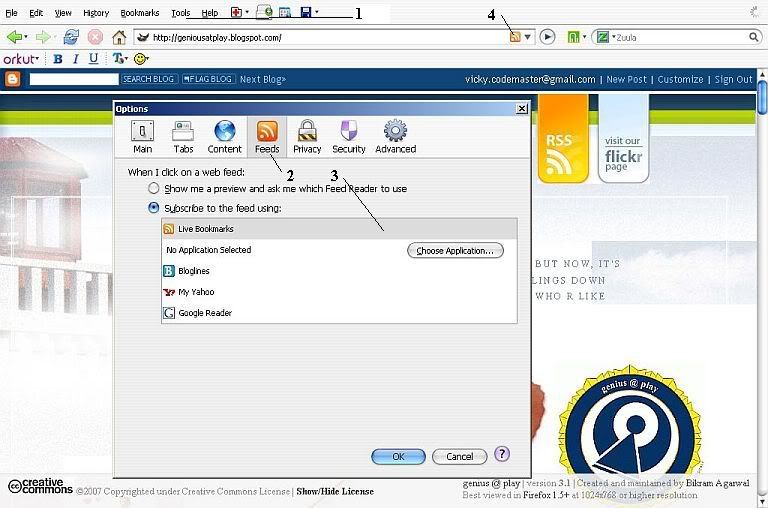
1> Go to Tools --> Options...
A window with Firefox options will Pop-Up.
2> Click on the 'Feeds' Button and select 'subscribe to the feed using:'
A number of 'feed readers' will be listed in the box just below above mentioned option.
3> Select 'Live Bookmarks' from this list. Just click on 'Live Bookmarks' and then Click OK button.
4> Your browser is now ready to register 'Live Bookmark' of any site you want. Now if U visit a site that provides option for live bookmarking (most of the sites do), U'll see the Feed icon (marked '4' in the pic). Just click on this once and the 'Add Live Bookmark' pop-up window will appear. Give the page a name and select the bookmark folder. In simplest terms, U don't need to change anything here. Just click OK. U now have a live bookmark of this website.
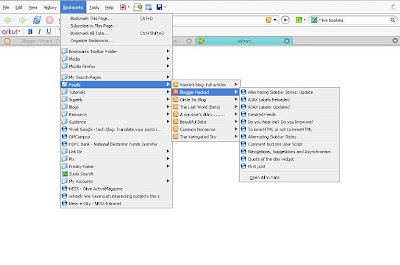
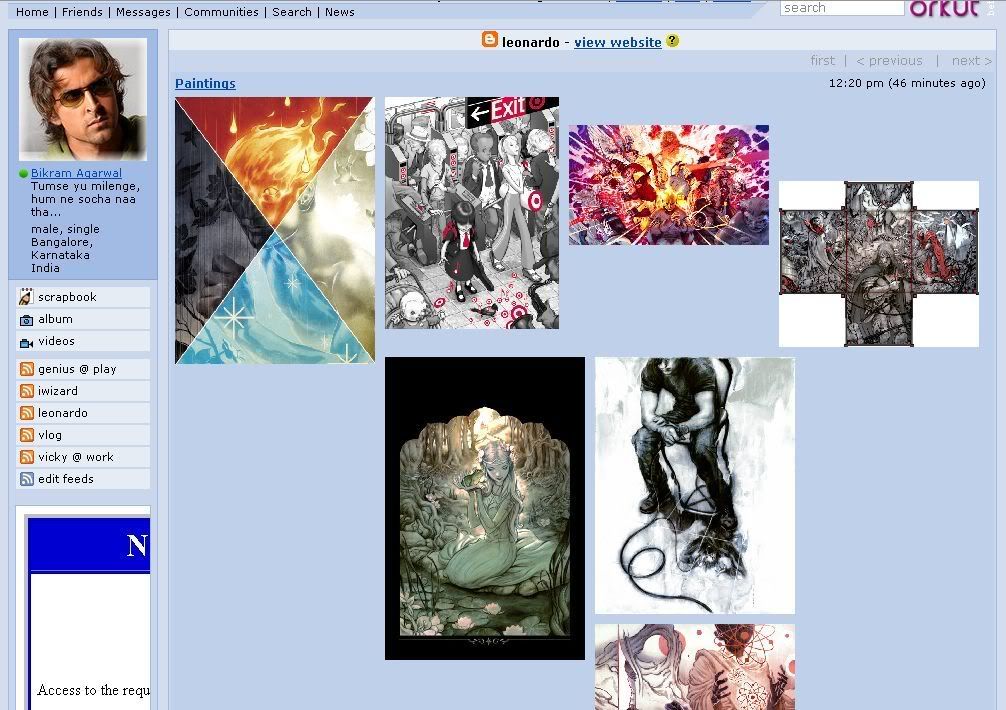
5> U can access your 'Live Bookmark' feeds from the 'Bookmarks' tab in the Firefox menu bar. All your 'Live Bookmark' folders will have the Feed Icon and each such folder in the menu will contain all the articles on related site's feed. Check the left pic for reference.
6> The topmost item in each folder will be the last updated article. So, each time any new article is posted on that site, it will be listed topmost in the 'Live Bookmark'.
7> It is good practice to store all your 'Live Bookmarks' in a single folder. For example, as U can see in the picture, I've created a folder 'Feeds' under 'Bookmarks' and I save all my 'Live Bookmarks' under 'Feeds'. So, I can easily check all my 'Live Bookmarks' for any new article in any of these websites.
U can add 'Live Bookmarks' for my Blogs by clicking these links below after U've completed step 3 listed above:-
 IWizard genius @ play vicky @ work Leonardo Vlog
Further reading : -
RSS FeedsLabels: Feed, Guide