Monday, December 12, 2016

[ROM]Cyanogenmod 14.1 For CherryMobile Android One G1 (Seed)

[ROM]Cyanogenmod 14.1 For CherryMobile Android One G1 (Seed)


[ROM]Cyanogenmod 14.1 For CherryMobile Android One G1 (Seed) Screenshot

[ROM]Cyanogenmod 14.1 For CherryMobile Android One G1 (Seed) Screenshot


Special boot modes:
Recovery: With the device powered off, hold Volume Up & Power
Bootloader: With the device powered off, hold Volume Down & Power
Fastboot: With the device powered off, hold Volume Down & Power

Known Issues:
To see a list of known issues, or to submit an issue, visit the Known Issues page for the Android One 2nd Gen.
Find help online

You may find assistance with the Android One 2nd Gen on Internet Relay Chat or on the CyanogenMod forums.


Maintainers:

The following people are maintainers for this device: arvinquilao

Labels: , , , , ,

[ROM] MIUI 8 6.11.24 For Flare X_V3 [MT6753]

[ROM] MIUI 8 6.11.24 For Flare X_V3 [MT6753]

[ROM] MIUI 8 6.11.24 For Flare X_V3 [MT6753] Screenshot


FEATURES:
Highlights New - Swipe to delete Lock screen notifications (11-18) New - Home screen settings added to the Settings (11-22) New - All-new playlists (11-22) Optimization - Redesigned content layouts (11-22)

System Optimization - NFC battery issues (11-23) Optimization - Fingerprint recognition accuracy (11-23) Fix - Volume in earphones was too high for ringtones and notifications (11-23)

Messaging Optimization - Verification codes are highlighted among unread notifications (11-22) Optimization - Delivery Company names are displayed on the cards (11-22)

Lockscreen, Status Bar, Notification Bar New - Swipe to delete Lock screen notifications (11-18) new - Fingerprint can be used as the Privacy protection password (11-21) Optimization - UI adjustments for screen lock, password, and fingerprints (11-21)

Home screen New - Home screen settings added to the Settings (11-22)

Music New - All-new albums (11-22) Optimization - In-app downloads (11-22)

Backup Fix - Mi Mover FC issues (11-22)

Weather Optimization - Redesigned content layouts (11-22) Fix - Status bar and Home screen couldn't monitor updates (11-22) Fix - High battery consumption on standby in Airplane mode (11-22) Fix - FC issues in some cases (11-22)

Settings Optimization - Alerts for factory data reset to avoid unintentional data loss (11-18)

MI Wallet New - WeChat payments for Mi Credits (11-22) Fix - Mi Pay logo adjustments (11-22) 

STATUS: Stable Bugs: - (?) 


CREDITS:
Janric Vicedo (The One Who Originally Port This!)-MIUI
Knight Owls Porting Assassins-MultiROM
Redmi Note 2-Sir yow Bushkie Gallano

Labels: , , , , ,

Saturday, December 10, 2016

[ROM] BlissPop v3.5 for Flare S3

Things you need:
  • SDcard
  • Rooted Flare S3
  • Custom recovery (CWM/TWRP /CTR/Philz)

BLISSPOP V3.5 FOR FLARE S3

Android Version: 5.1 Lollipop
BASE: CyanogenMod
This is applicable only for Flare S3 v1.03, v7 – v11
 
Screenshot
blisspop flare s3 blisspop flare s3 blisspop flare s3
blisspop flare s3blisspop flare s3 blisspop flare s3
BUG
  • USSD
  • HOTSPOT
WORKING
  • Video record
  • Simcard – etc
  • 3G on sim1
DOWNLOAD LINK
FLASHING PROCEDURE
  1. Reboot your Flare S3 into recovery.
  2. Wipe Factory data reset
  3. Wipe Cache / Dalvik Cache
  4. Install zip from SDcard and navigate the custom ROM.
  5. Wait for the process to finish.
  6. For Flare S3 v7-11, you are required to patch the camera, install zip from SDcard then browse the patch that you have downloaded.
  7. Reboot your device.

Labels: , ,

Friday, December 9, 2016

(ROM) Flare X / Jiayu S3 6752 - 7.1.1 PixelMod-1

(ROM) Flare X / Jiayu S3 6752 - 7.1.1 PixelMod-1

(ROM) Flare X / Jiayu S3 6752 - 7.1.1 PixelMod-1 Screenshot


Base ROM: jiayu_s3-7.1.1-20161207 (M.A.D.) Stable 4

Gapps:
7.1 pico


ROM Features:
Round moded icons (system integrated)
Viper4Android 2.5.5
Dolby Atmos
Init.d support (Rom & Boot.img)
Rooted
Busybox installed
Deknoxed
Zipaligned
Pre-installed Init.d Tweaks
*Enable GPU for 2D operation
*Improve battery life
*Move dalvik-cache to cache
*Improve internet speed
*Improve touch
Pixel Launcer plus wallpaper
Dark Pixel bootanimation
Google assistant enabled

Flashing Instruction:
Boot to custom recovery (I used TWRP Gold 3.0.2-3)

Backup existing ROM is optional
Wipe factory reset
Flash the ROM (Flare_X_7.1.1_Pixel_MOD1.zip)

Wipe dalvik-cache & cache
Reboot to system
Enjoy...

Credits:
MAD Team
Flare X Admins

Screenshots: (Do your own)


Bugs: ?????? 

baygon ang katapat

Note: if you get fc when opening wifi settings, you may flash this:

Labels: , , , , , , ,

[ROM][MT6753] MIUI 8 6.12.1 For Firefly Intense Desire

[ROM][MT6753] MIUI 8 6.12.1 For Firefly Intense Desire


[ROM][MT6753] MIUI 8 6.12.1 For Firefly Intense Desire Screenshot

KNIGHT OWLS PORTING ASSASSINS·TUESDAY, DECEMBER 6, 2016

MIUI 8 China Developer ROM 6.12.1 Full Changelog

Highlights:
New - "People who look alike" in Gallery (11-29)
Optimization - Apps sorted by frequency before they are deleted (11-29)
Lockscreen, Status Bar, Notification Bar
Optimization - Changed icons for USB charging and switching keyboards (12-01)
Fix - The first notification couldn't be removed by a swipe (11-29)
Fix - Landscape orientation issues in third party themes (11-29)
Themes
New - Added Mi Note 2 custom theme (12-01)
Gallery
New - "People who look alike" in Gallery (11-29)
Music
New - Share playlists using WeChat (11-29)
Optimization - Layout adjustments (11-29)
Market
Optimization - Apps sorted by frequency before they are deleted (11-29)
Security
New - Game speed booster in the settings (11-29)
New - Game speed booster recommends popular games when it's opened for the first time (11-29)
Optimization - Couldn't boost some games (11-29)
Optimization - Animations for icons (11-29)
Fix - Game speed booster FC issues (11-29)
Fix - Game booster still saved battery after users left the game (11-29)
Fix - Game booster still worked after users left the game (11-29) 

Status: Stable

Bugs: Let Me know if you find anything.

Download Here!

[Link ##download##]

All Credits are to:
-Janric Vicedo (The One Who Originally Port This!)
-MIUI
-Knight Owls Porting Assassins
-MultiROM
-Redmi Note 2

Labels: , , , , ,

[ROM] MIUI 8 6.11.24 For Firefly Intense Desire [MT6753]

[ROM] MIUI 8 6.11.24 For Firefly Intense Desire [MT6753]


[ROM] MIUI 8 6.11.24 For Firefly Intense Desire [MT6753] Screenshot

Highlights:
New - Swipe to delete Lock screen notifications (11-18)
New - Home screen settings added to the Settings (11-22)
New - All-new playlists (11-22)
Optimization - Redesigned content layouts (11-22)
System
Optimization - NFC battery issues (11-23)
Optimization - Fingerprint recognition accuracy (11-23)
Fix - Volume in earphones was too high for ringtones and notifications (11-23)
Messaging
Optimization - Verification codes are highlighted among unread notifications (11-22)
Optimization - Delivery company names are displayed on the cards (11-22)
Lockscreen, Status Bar, Notification Bar
New - Swipe to delete Lock screen notifications (11-18)
New - Fingerprint can be used as the Privacy protection password (11-21)
Optimization - UI adjustments for screen lock, password, and fingerprints (11-21)
Home screen
New - Home screen settings added to the Settings (11-22)
Music
New - All-new albums (11-22)
Optimization - In-app downloads (11-22)
Backup
Fix - Mi Mover FC issues (11-22)
Weather
Optimization - Redesigned content layouts (11-22)
Fix - Status bar and Home screen couldn't monitor updates (11-22)
Fix - High battery consumption on standby in Airplane mode (11-22)
Fix - FC issues in some cases (11-22)
Settings
Optimization - Alerts for factory data reset to avoid unintentional data loss (11-18)
MI Wallet
New - WeChat payments for Mi Credits (11-22)
Fix - Mi Pay logo adjustments (11-22) 


Status: Stable


Bugs:
- (?)

Download Here!

[Link ##download##]

All Credits are to:
-Janric Vicedo (The One Who Originally Port This!)
-MIUI
-Knight Owls Porting Assassins
-MultiROM
-Redmi Note 2

Labels: , , , , ,

Wednesday, December 7, 2016

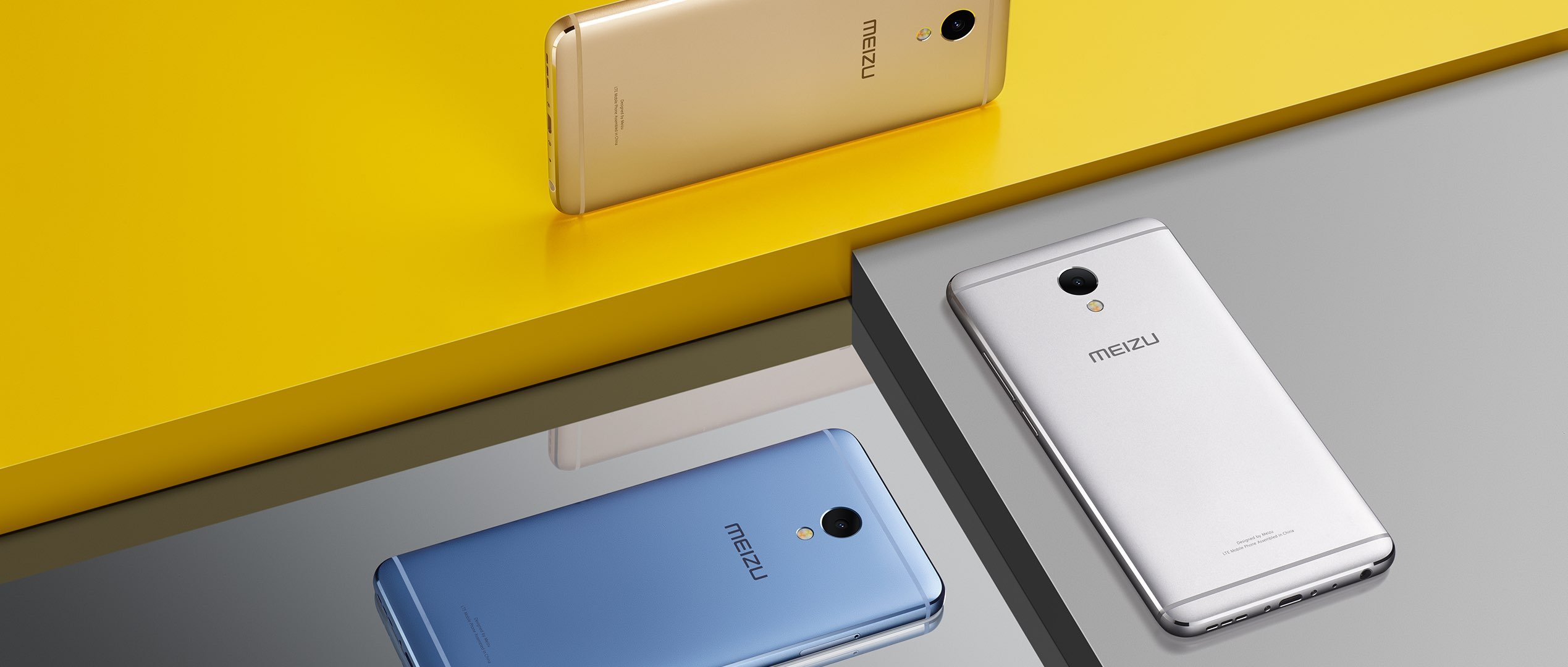
Meizu M5 Note Official: 4GB RAM, All Metal Body & 4000mAh Battery!


Meizu has taken the wraps off its latest budget offering, the Meizu M5 Note in an event today in Beijing, China. The company will continue to use an all metal body on its new mid-ranger and will offer plenty of color options as well, which has become a highlight of the Blue Charm series. The Meizu M5 Note will be available in four colors — Sky Gray, Champagne Gold, Moonlight Silver, and Glacier Blue.

The phone features a curved 2.5D glass up front to give it a premium look. The design remains more or less similar to other Blue charm phones, so you have the traditional antenna lines on the top as well as the bottom. However, the company engineers have reportedly improved the antenna signal for more strength and stability and the company claims that the signal quality and strength have more than doubled than the previous generation model. In case you are wondering, there’s dual SIM dual standby. The card slot is hybrid, so you can insert a MicroSD card for expansion at the expense of the second SIM card slot.


As for the specs, the Meizu M5 Note features a 5.5-inch 1080p display up front with 450 nits maximum brightness, which translates into 403ppi. The screen comes with many features such as sunlight mode, eye mode etc. Inside, the phone comes with the Helio P10 octa-core processor with 3GB /4GB of RAM and 16GB/ 32GB /64GB of storage options that’s expandable up to 128GB.

The camera on the Meizu M5 Note is a Sony 13MP sensor with PDAF that focuses in just 0.2 seconds and f/2.2 aperture. Up front, you get a 5MP shooter with ArcSoft’s algorithm for better quality images. You get a fingerprint sensor as well, which unlocks in 0.2 seconds. There’s a large 4000mAh battery on board, which will fill up quickly since it supports 18W mCharge. As for the software, the phone is using the new Flyme 6 OS that promises 20% better CPU and memory resource allocation for faster performance.

Labels: , , , ,

Tuesday, December 6, 2016

[ROM[KOPA]Extreme Vanilla v5 For Cherry Mobile Me Vibe X170 [MT6592]

[ROM[KOPA]Extreme Vanilla v5 For Cherry Mobile Me Vibe X170 [MT6592]


[ROM[KOPA]Extreme Vanilla v5 For Cherry Mobile Me Vibe X170 [MT6592] Screenshot

[ROM[KOPA]Extreme Vanilla v5 For Cherry Mobile Me Vibe X170 [MT6592] Screenshot


Features:
- DUAL SIM
- Dual 3G
- Awesome Performance
- Dolby Atmos Compatible
- Transparent Statusbar
- Super Notification bar
- Theming support
- Official theme with different icon pack, different lock screen, different UI
- Modded Platlogo (Android M)
- Modded Recents
- Modded Settings
- Modded Signals & SystemUI
- Added ROM Banner
- Modded About Phone
- No More Signal Issues
- Home screen style option
- Motion UI option
- One hand UI
- Xtreme Keyboard
- And many more 

Credits:
Nameless Porting Team
Knight Owls Porting Assasins
Ronnie Gonzales X170 Porter

Labels: , , , ,

Monday, December 5, 2016

[ROM][KOPA] Dirty Unicorns 10.0.6 R74 For Cherry Mobile Me Vibe X170 [MT6592]

[ROM][KOPA] Dirty Unicorns 10.0.6 R74 For Cherry Mobile Me Vibe X170 [MT6592]


[ROM][KOPA] Dirty Unicorns 10.0.6 R74 For Cherry Mobile Me Vibe X170 [MT6592] Screenshot

[ROM][KOPA] Dirty Unicorns 10.0.6 R74 For Cherry Mobile Me Vibe X170 [MT6592] Screenshot


About Us: 

Dirty Unicorns is a project that started out with no name. It was a project that was first based off AOKP back in the early days of Jelly Bean. In the early days -- it was just a one man show on one device, the EVO 3D. Since then, many others have joined the project and it has grown exponentially. 

We have seen a lot of talent contribute to this project of ours. Big or small, the focus was always on contributing to the community. That is ultimately why we do what we do. After Jelly Bean, we decided to move to a new base, OmniROM. While AOKP was fun, OmniROM proved to be even more exciting base because it challenged us to see what we could do with a project that had different goals in mind. We learned a lot and gained contributors in the process. With Lollipop, we moved to an AOSP base with a lot of patches from CAF to make our older devices function as they should. We grew further with experience and learned a lot more along the way. 

It has been an awesome learning experience and it's still not over! We are still learning, striving to grow each day, and continuing to move forward. Lastly, weDO NOT accept, nor ask, for donations. We do not believe in that. Everything that is necessary to keep this project going comes out of our own pocket. Gerrit, Jenkins, Websites, Devices, etc. We will never ask for a dime. All that we do ask is that you have patience, search for answers prior to posting, read, and try to enjoy the process with us!! 

What's Working : 

> Camera working
> Video rec working via Camu app
> No Need to reboot for apps to apear in app drawer
> Hotspot Fixed
> BT Fixed
> FM fixed
> GPS fixed
> Data working
> 1080p playback in gallery fixed
> youtube 720p fixed
> youtube live playback fixed
> No Sim fixed
> No Network drop found
> USSD Fixed
> Autorotation Fixed
> All sensors working
> After Reboot QuickSetiings Too
> Rest Are As CM13
> Too many features
> GPS fixed completely 

Bugs :
2G/3G Switch
VPN (See workaround #2)

Changelogs :- (Nov 2016)
> Upstreamed to r74
> Nov 2016 Security Patch Level
> Camera fc after few clicks fixed
> Inverted video recording issues fixed
> New FM app added and working
> playback issues in gallery fixed
> fixed ril and USSD directly from source
> google sync due to old stagefright is fixed
> Offine Charging Animation fixed
> Fixed Carrier Name instead of Number
> Improved Performance
> Added Stock Power Profiles
> Improved Battery Backup
> Added Ambient Display by Default ( check last screenrecord )
> Fixed Xposed in release 74 (r74 contains whitelisting which causes bootloop if any extra app is added which is not mentioned in white list)
> Fixed all UI lags
> Added MultiUser UI 

ROM LINK :

[Link ##download##]

Note:- If you face playservices fc after flashing gapps then simply go to settings/apps and enable all playservices permissions.

Workaround :-
1. To fix green screen on some apps like twithc, snapchat etc

Delete This Line from Build.prop and reboot.

Code:
media.sf.omx-plugin=libffmpeg_omx.so

(Note :- It'll Broke 1080p Video Playback on Gallery.)

2. To get VPN working on Old Kernel

NO As Tunnling Whole Device Is Not working !

[THANKS TO A @nervehammerFOR THIS]

Use VPN for wifi
1. Download psiphon from playstore and open it, choose Browser-Only mode don't tunnel whole device.
2. Go to its logs tab and check the port of http proxy.
3. Now open WiFi setting and long press to your WiFi network (from which u are connected) go to modify tab and from check the advanced options.
4. Chosen manual proxy option and put host name as 127.0.0.1 and port as the no. which you noted in step 2 (eg. 8080) and click save .

For Cellular Data-
1. Download psiphon from playstore and open it, choose Browser-Only mode don't tunnel whole device.
2. Go to its logs tab and check the port of http proxy.
3. Now open Setting>Sim cards>Sim 1/Sim 2 settings/Access Points Names and click on Connected APN
4.In Proxy put 127.0.0.1 and port as the no. which you noted in step 2 (eg. 8080) and click save . 

Enjoy you have set up a VPN connection successfully.
You can open your browser and check your IP
Note: You have to undo this after you don't need VPN by changing manual proxy to none .

Credits :-
Tirth Patel (Built ROM from Source)
TLS
DU Team
Ferhung
Fire855

We would like to give thanks to everyone that contributes to the Android community, big or small because every bit counts. Although we can't list each and every contributor within the Android community, we would like to highlight some of the teams and individuals that have made it possible NOT only with just this version of DU but throughout the years because we don't ever want to forget where we came from nor those that have helped us!

That said, on behalf of the DU team we say THANKS to....

JMZ Software
5 lb 6 oz Baby Jesus
Code Aurora Forum
Omni ROM
Android Open Kang Project (AOKP)
Android Ice Cold Project (AICP)
XDA-Developers
SlimROMs
Preludedrew
Max Weninger
Team Black Out
CyanogenMod
Pure Nexus Project
Knight Owls Porting Assassins
Ronnie Gonzales X170 Porter

Labels: , , , , , ,

Saturday, December 3, 2016

CherryMobile Flare X v1.7 & Jiayu S3 Adv/Basic/Pro (mt6752) - Android 7.1 Build 20161203 - Stable 3

CherryMobile Flare X v1.7 & Jiayu S3 Adv/Basic/Pro (mt6752) - Android 7.1 Build 20161203 - Stable 3

CherryMobile Flare X v1.7 & Jiayu S3 Adv/Basic/Pro (mt6752) - Android 7.1 Build 20161203 - Stable 3 Screenshot


Changelog:
- fixed BT call audio
- fixed 'prevent audio ducking'
- improved webview package handling
- fix theming of 'button settings'
- add Russian translations by Borizzz (more translations to come)
- Various other improvements


Download:
[Link ##download##]

Google Apps:
Please choose: arm64, Android 7.1, pico or nano version. Other packages are said to be causing issues!
[Link ##download##]

Install Instructions/Support/Information:

[Link ##download##]


Credits:
superdragonpt
fire855
DerTeufel1980

Labels: , , , , , , , , , ,

Friday, December 2, 2016

[ROM] EternityOS Vibe UI For Lenovo A369i


Link:

Procedure:
I assume you already have a custom recovery installed.
Flashing this rom:
1. Reboot your phone into Recovery mode.
2. Wipe Data/Factory Reset
3. Wipe Cache Partition
4. Advance/wipe dalvik cache
5. Head to the "Install ZIP from SD Card"
6. Navigate to the ZIP file you downloaded and select it to flash.
7. Wait for the process to complete; it may take a few minutes.
8. When you're done, you're free to reboot into your new ROM.

Credits:
To the Porter

Labels: , ,

Thursday, December 1, 2016

[ROM] CYANOGENMOD 13 for [O+ 360] Ported by Ramuel

[ROM] CYANOGENMOD 13 for [O+ 360] Ported by Ramuel
Bugs :
360 Touch
VPN
Download Links:

How to Flash:
- Boot to custom recovery
- Factory Reset
- Install from zip > select ROM file > OK
- Flash GAPPS directly after flashing the ROM
- Reboot
- After booting, Reboot your device to Recovery Mode
- Flash SuperSU
- Reboot
- Enjoy


Labels: ,

[ROM] Temasek 5.1.1 Unofficial Base On CyanogenMod For Flare S4

[ROM] Temasek 5.1.1 Unofficial Base On CyanogenMod For Flare S4


[ROM] Temasek 5.1.1 Unofficial Base On CyanogenMod For Flare S4  Screenshot

[ROM] Temasek 5.1.1 Unofficial Base On CyanogenMod For Flare S4  Screenshot


Due to the installation method it does not matter which root method you have occupied although it is always advisable to use supersu since it is the method installed in most Custom Roms.

IMPORTANT GENERAL RECOMMENDATION
Always remember to perform a backup or have one already made of our NANDROID system in case we perform some wrong and cause softbrick to our device and thus to recover it. 

Characteristics:
- DualSim Version
-Root Included
-Actualization to android 5.1 system
-Based on CM 12.1
-Lower battery drainage
-More smooth and smooth
Software improvements
-Youtube 720/60
-Supports CyanogenMod Themes 

Bugs:
Emulated

Installation Procedures:
Philz Recovery
Clear Dalvik Art Cache
Clean To Install New Rom
Flash The Rom
Flash Gapps

On Recovery:

Cwm
Clear
Data
Cache
Dalvik
Flash The Rom

Downloads:


ROM Temasek 5.1.1: [Link ##download##]

Gapps: [Link ##download##]

Patch for move to sdcard: [Link ##download##]


For H+ Indicator:
Download Terminal Emulator For Andriod
In Playstore
Open Terminal
Type su enter
settings put global captive_portal_detection_enabled 0

Credits:
Yow Bushkie
Knight Owls Porting Assasins
Zap6
Cm 12.1
Farid For the Source

denielle cruz

Labels: , , , ,

Sunday, November 27, 2016

[ROM] Miui v8 6.11.17 China Developer Rom For Flare S4 mt6753 by Yow Bushkie

[ROM] Miui v8 6.11.17 China Developer Rom For Flare S4 mt6753 by Yow Bushkie


[ROM] Miui v8 6.11.17 China Developer Rom For Flare S4 mt6753 by Yow Bushkie Screenshot

[ROM] Miui v8 6.11.17 China Developer Rom For Flare S4 mt6753 by Yow Bushkie Screenshot


MIUI 8 China Developer ROM 6.11.17 Full Changelog 

Highlights
New - Added MIUI Forum (Chinese version) content to Feedback app (11-15)
New - One-handed mode for Quick ball (11-16)
New - Transport cards and Mi Pay in Quick ball (11-16)

System
Optimization - UI adjustments (11-16)

Phone
Optimization - Optimized ringtone volume for the cases when the earphones are connected (11-15)

Lockscreen, Status Bar, Notification Bar
Optimization - Lock screen PIN layout (11-15)
Fix - Mi SIM label stayed in the status bar after the feature had been turned off (11-14)
Fix - Notification shade issues (11-15)
Fix - Issues with opacity after using third party themes (11-15)

Home screen
Fix - Minor adjustments for animations in the Launcher (11-14)
New - Added MIUI Forum to Feedback (11-15)

MI Wallet
New - Added option for returns in case of unsuccessful transport card transactions (11-15)
New - Home screen shortcut for Mi Pay (11-15)
New - Home screen shortcut for transport card (11-15)
New - Error pop-up for incorrect email password (11-16)
Optimization - Adjustments in update algorithms and UI colors (11-15)
Fix - An error occurred after WeChat payments (11-16)
Fix - A screenshot of a QR payment code could be taken (11-16)
Fix - Repeated email password error messages (11-16)

Quick Ball
New - One-handed mode for Quick ball (11-16)
New - Transport cards and Mi Pay in Quick ball (11-16)

Bugs :
Mi assist Fc it’s not a big deal

Installation :
Philz
Clear Dalvik art cache
Clean to install
Flash the rom
---
Cwm
Clear
Data
Cache
Dalvik
Flash the rom 

Downloads :
Rom Miui 6.11.17


Miui china boot logo


Credits :
To me Yow bushkie
Redmi rice note 2
Panty to my source haha
Aysus wenceslao
Victor concepcion
Denielle cruz for boot logo
Mt6795
Knight Owls Porting Assassins
Miui 8
Xiaomi

Labels: , , , , ,

Friday, November 25, 2016

CherryMobile Flare X/X360 & Jiayu S3 Adv/Basic/Pro (mt6752) - Android 7.1

CherryMobile Flare X/X360 & Jiayu S3 Adv/Basic/Pro (mt6752) - Android 7.1


CherryMobile Flare X/X360 & Jiayu S3 Adv/Basic/Pro (mt6752) - Android 7.1 Screenshot


Build 20161123 - Stable 2

Changelog:

- Updated to NDE63X (security patch level: 6th November)
- fixed camera recording
- fixed all audio quality issues
- fixed NFC
- Updated bluetooth system (incall audio still broken :( )
- Added partial screenshot feature (long press on screenshot in power menu)
- Improved sim switch
- Fixed flashlight tile
- Various other improvements

Download:

[jiayu_s3-20161123-user ##download##]


Google Apps:
Please choose: arm64, Android 7.1, pico or nano version. Other packages are said to be causing issues!

[OpenGapps ##download##]

Install Instructions/Support/Information:

[Link ##download##]

SPECIAL CREDITS:
DerTeufel1980
superdragonpt
fire855
M.A.D

Visit their Facebook Page!:

Labels: , , , , , , , , ,

Thursday, November 24, 2016

[ROM] PIXEL UI ROM for LENOVO A7000 Android 1.7

[ROM] PIXEL UI ROM for LENOVO A7000 Android 1.7

[ROM] PIXEL UI ROM for LENOVO A7000 Android 1.7 Screenshot


The Lenovo A7000 may or may not get the Android 7.1.1 Nougat update officially, but if you look into the unofficial ways, you can even get Pixel experience on your Lenovo A7000 along with Android 7.12 Nougat right this instance.

For the unknown, Google’s Pixel phones come with a few features that are exclusive to the device and are not available for the rest of Android devices including the Android Open source Project using which various AOSP based Android 7.0 ROMs are made of.

However, developer HDHR has just released a custom ROM for Lenovo A7000 that has Google Pixel features like Google Assistant, Pixel launcher, Blue theme and others built-in.

HDHR is calling the ROM Pixel UI and it’s based on AOSP. Alongside Pixel features, Pixel UI ROM also features Gapps built-in so you don’t have to find & flash a compatible Gapps package separately via recovery.

The ROM, however, has certain issues that are yet to be fixed but it’s very much functional and can be used as a daily driver. Below are the known/bugs issues with the ROM (as of Nov 24, 2016).
Offline charging screen messed up
Some sensor doesn’t works

DOWNLOAD:

[Pixel-UI-20161120-A7000-a_By-HDHR ##download##]

Grab the Lenovo A7000 Pixel to get the sweetness of new android Nougat Experience. the rom supported with all TWRP recoveries so what are you waiting for?

CREDITS:
HDHR
via: Androiding

Labels: , , , , , ,

Wednesday, November 23, 2016

[ROM] MultiRom Global/EU MIUI v8-2_v6.11.17 for Flare X360 & Jiayu S3 Advance/Basic

[ROM] MultiRom Global/EU MIUI v8-2_v6.11.17 for Flare X360 & Jiayu S3 Advance/Basic

[ROM] MultiRom Global/EU MIUI v8-2_v6.11.17 for Flare X360 & Jiayu S3 Advance/Basic Screenshot

[ROM] MultiRom Global/EU MIUI v8-2_v6.11.17 for Flare X360 & Jiayu S3 Advance/Basic Screenshot


[ROM] MultiRom Global/EU MIUI v8-2_v6.11.17 for Flare X360 & Jiayu S3 Advance/Basic

***** DISCLAIMER***** 


Your warranty is now void. We are not responsible for bricked devices or your brain is empty, dead SD cards, thermonuclear war, or you getting fired because the alarm app failed. Please do some research if you have any concerns about features included in this ROM before flashing it! YOU are choosing to make these modifications, and if you point the finger at us for messing up your device, we will laugh at you. NOTE: FOR FLARE X 1.7V AND JIAYU S3 ADVANCE ONLY!!! 

*****CHANGELOGS***** 

System Optimization - UI adjustments (11-16)

Phone Optimization - Optimized ringtone volume for the cases when the earphones are connected (11-15)

Lock screen, Status Bar, Notification Bar Optimization - Lock screen PIN layout (11-15) 
Fix - Battery status of Bluetooth devices was displayed incorrectly sometimes (11-14) 
Fix - Notification shade issues (11-15) Fix - Issues with opacity after using third party themes (11-15) 

Home screen Fix - Minor adjustments for animations in the Launcher (11-14) Quick Ball New - One-handed mode for Quick ball (11-16) 

*****ROM FEATURES*****
-Light Mode / Light Rom
-Zipligned / Optimized / Purification
-Rooted
-Latest BusyBox
-Android 5.1.1 Libraries and Binaries
-Google Apps Added (Light)
-Init.D Supported
-Fast Charging™
-MiraVision™
-ClearMotion™
-Optimized Per Boot All Apps and Features are Fully Working 

*****ROM HIGHLIGHTS*****
-Clean Rom
-Deleted Trash Libraries and Binaries
-Deleted Chinese Shits
-Deleted Residue
-Deleted Apps (Not Related to our Device)
-Deleted Some Shits (Due to PowerVR related Files) 

*****DOWNLOADS*****
ROM – [CMFlareX-MIUI-v8.2-6.11.17 ##download##]

FAST CHARGING KERNEL - [FastCharging™ ##download##]

DOUBLE TAP KERNEL - [DoubeToWake™ ##download##]

*****INSTRUCTIONS*****
1. Download the File.
2. Go to your Latest TWRP make Wipe / Advance Wipe / Dalvik, Cache, Data, System, Internal / Slide.
3. Make Wipe Factory Reset.
4. Flash the Rom
5. After Installation Success Click REBOOT!.
6. Boot-Up takes 5-10 Mins for Optimizing (Be Patient)
7. Setup your desire setting up to the Home Screen.
8. Now you are able to choose your desire Boot.img
9. Remember: Go to TWRP / Install / Install Image / Choose your desire Boot.img then flash. 10. Boot-up and Go again to your TWRP and Flash your Enhancements
11. Enjoy and Cheers! 

*****CREDITS*****
Nikko Angelo Q. Esteves 
Gontier Adam
Greeshan
Caber
Flare X Team Admins
Maximum Porting Team
Nameless Porting Team
Knight Owls Porting Assasins
GOD 

“We all can do is possible”

Labels: , , , , , , ,

Monday, November 21, 2016

[ROM][SEMI-OFFICIAL] CyanogenMod 14.1 for Xiaomi Mi 5

[ROM][SEMI-OFFICIAL] CyanogenMod 14.1 for Xiaomi Mi 5

[ROM][SEMI-OFFICIAL] CyanogenMod 14.1 for Xiaomi Mi 5 Screenshot

[ROM][SEMI-OFFICIAL] CyanogenMod 14.1 for Xiaomi Mi 5 Screenshot

[ROM][SEMI-OFFICIAL] CyanogenMod 14.1 for Xiaomi Mi 5 Screenshot


CyanogenMod is a free, community built, aftermarket firmware distribution of Android 7.1 (Nougat), which is designed to increase performance and reliability over stock Android for your device.

Disclaimer:
#include
/*
* Your warranty is now void.
*
* I am not responsible for bricked devices, dead SD cards,
* thermonuclear war, or you getting fired because the alarm app failed. Please
* do some research if you have any concerns about features included in this ROM
* before flashing it! YOU are choosing to make these modifications, and if
* you point the finger at me for messing up your device, I will laugh at you.

CyanogenMod is based on the Android Open Source Project with extra contributions from many people within the Android community. It can be used without any need to have any Google application installed. You will need to provide your own Google Applications package (gapps). CyanogenMod does still include various hardware-specific code, which is also slowly being open-sourced anyway. 

Compatibility:
This build is compatible with all Xiaomi Mi 5 variants (32GB / 64GB / 128GB).
It is based off the Xiaomi's Android 6.0.1 firmware and kernel with binaries from MIUI V8.0.2.0 Global stable package.

Downloads:

[cm-14.1-20161119-Gemini ##download##]


Notice:

No custom kernels are supported in this thread. Only CM kernel and official builds will be supported. No bug reports if that's not the case.


Installation:
Reboot to recovery (TWRP recovery for Mi 5 - [LINK ##download##])
Wipe /system, /data and /cache
Install CM package

Install [optional] a Google Apps package of your choice (Open Gapps is advisable, but stock and super variants are not recommended!!!) Important note: Gapps can only be flashed on clean installs.

Credits & collaborations:
bgcngm
H2o64
deovferreira
ValoXis

Finally, all CyanogenMod team would like to thank everyone involved in helping with testing, coding, debugging & documenting! Enjoy!

Labels: , , , , ,

Saturday, November 19, 2016

[ROM][MT6753] CM 12.1 20161107 Build For Alcatel Flash 2

[ROM][MT6753] CM 12.1 20161107 Build For Alcatel Flash 2

[ROM][MT6753] CM 12.1 20161107 Build For Alcatel Flash 2 Screenshot

[ROM][MT6753] CM 12.1 20161107 Build For Alcatel Flash 2 Screenshot


CyanogenMod is a free, community built, aftermarket firmware distribution of Android 5.1(LP), which is designed to increase performance and reliability over stock Android for your device.

Disclaimer:

#include
/*
* Your warranty is now void.
*
* I am not responsible for bricked devices, dead SD cards,
* thermonuclear war, or you getting fired because the alarm app failed. Please
* do some research if you have any concerns about features included in this ROM
* before flashing it!
*/ 

CyanogenMod is based on the Android Open Source Project with extra contributions from many people within the Android community. It can be used without any need to have any Google application installed. Linked below is a package that has come from another Android project that restore the Google parts. CyanogenMod does still include various hardware-specific code, which is also slowly being open-sourced anyway. 

Bugs:SELinux status is Enforcing causing the camera to not function properly Emulated Storage(??)You tell me in the comment section below. 

Workarounds:-I've already put the SelinuxModeChanger app alongside the ROM. Just flash root, grant the app root access, set the selinux to Permissive then Reboot, and your Camera shall work fine.-Use XInternalSD to be able to play games with obb data saved in internal storage.-If you have backups using Titanium Backup, change Backup Folder Location in Titanium Backup to restore your apps (Backup) Navigate to Titanium Backup/Settings/Backup Folder Location/Detect/Select Storage/Sdcard1/TitaniumBackup then tap Use The Current Folder. But for this to work we have to remap the keys first since our device doesn't have menu key and Titanium Backup doesn't have menu button either. Go to system/usr/keylayout/Generic.kl and find "key 580 APP_SWITCH" (shown in the screenshot below), change the APP_SWITCH to MENU then hit reboot. You now have to long press the Home Key for Recent Apps Panel to show. Now go back Titanium and do what is said in the first statement.-Use Stickmount app on play store to be able to use OTG.

CyanogenMod is based on the Android Open Source Project with extra contributions from many people within the Android community. It can be used without any need to have any Google application installed. Linked below is a package that has come from another Android project that restore the Google parts. CyanogenMod does still include various hardware-specific code, which is also slowly being open-sourced anyway. 

Everything is working fine.

Download Link: [CM12.1-20161107_Flash2 ##download##]

Credits:
BlueFlame4
CyanogenMOD
Mel Andrew (Cyandrew)- porter
Knight Owls Porting Assassins

Labels: , , , , ,